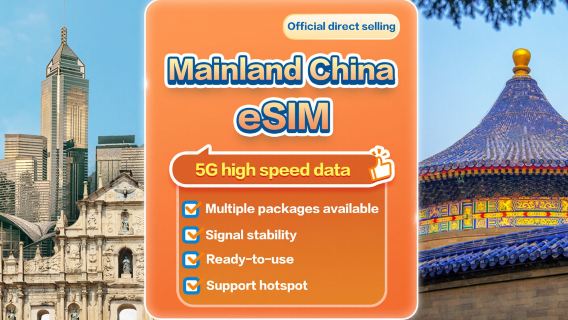
Product ID: 60222830
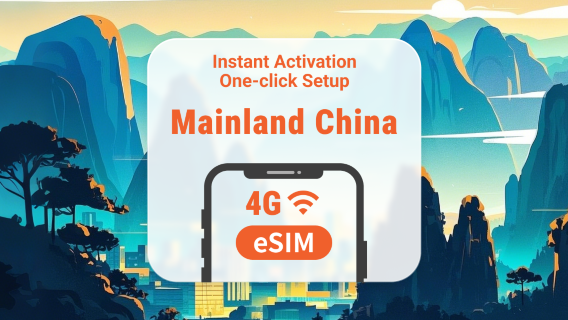
China 4G/5G eSIM 1-30 days High-speed data daily package/data package Number of days optional (natural days) QR code

China 4G/5G eSIM 1-30 days High-speed data daily package/data package Number of days optional (natural days) QR code

4.4/5
Average
(303 reviews)
3K+ booked
From
AU$ 0.00
Device info

1. Applicable areas: China

2. Network operator: China Mobile

3. The eSIM QR code is valid for 30 days from the date of purchase. After activation, time will be calculated according to Beijing time (GMT+8) on natural days.

4. Hotspot sharing: supported

5. [Internet-only eSIM] does not support voice calls, SMS or other recharges; Google map, Facebook, Twitter, Instagram and LINE can be used.

This product uses international roaming IP, and some apps may not be available due to IP location (ex: tiktok/Douyin/Alipay/Amap/Meituan/Mini Program...etc).

6. A QRcode can only be scanned once with a mobile phone. It cannot be replaced after binding. Once scanned and bound to a mobile phone, it cannot be refunded.

7. If the eSIM plan is not fully used or the plan is deleted without the judgment of customer service staff, reissue and refund will not be possible.

8. The versions of mobile phones vary from country to country. Please ensure that your mobile phone supports the eSIM function before purchasing. If the order is canceled due to incompatibility of the device, no refund will be given.

9. Not applicable in Xinjiang, Tibet, Guangdong, Shenzhen, Shanghai, Sichuan, Chengdu, and Chongqing due to poor signal quality.

10. In order to maintain the quality of Internet connections and the principle of fair use, telecommunications companies around the world sometimes implement traffic control for customers who use a large amount of Internet traffic in a short period of time, which may result in the inability to access the Internet or reduce the Internet speed. In order to ensure that For normal use, please try to avoid watching videos for a long time or updating software and other tools that consume a lot of data.

APN: cmhk

What's included
eSIM
Option Traffic
How to use
How to install eSIM? Taking iPhone as an example, actual may vary depending on iOS version and device.
 
(1) Please do not use your camera or Other APP to scan the QR code, it must be done through the settings of your phone or device.
 
(2) You must be connected to the Internet to install eSIM. Please confirm that there is available WiFi or available mobile data in the environment before installation.
 
①To add eSIM to a device that supports eSIM.
 
②Go to Settings—Cellular Network/Mobile Network/Mobile Service—Add Cellular Network Plan/Join Mobile Network Plan/Join Mobile Service Plan
 
③Scan the QR code in the received email. (If you cannot scan the QR code, please manually enter the SM-DP +Address and Activation Code. These messages will be sent to your email inbox together with the eSIM QR code. )
 
④After confirming "Add Cellular Number"/"Join Mobile Network Plan"/"Join Mobile Service Plan", the phone/device will display "Starting". After successful addition, "Cellular Data"/"Mobile Data"/"Mobile Data" Show open status. We recommend that you disable your eSIM before reaching Option Destination.
 
⑤The name "Cellular Data"/"Mobile Data"/"Mobile Data" can be modified through the "Cellular Number Label"/"Mobile Network Plan Label"/"Mobile Plan Label". We recommend that you rename its label to "Travel" for easier identification.
 
⑥After arriving at the Destination, please turn on your eSIM "Travel" and turn on data roaming, and you can surf the Internet normally.
Change & cancellation policies
If a cancellation request is submitted before 23:59, 1 day(s) prior to the date of use, no cancellation fee will be charged.
If a cancellation request is submitted after 23:59 1 day(s) before the date of use, a fee of 100% will be charged.
Cancellation is not allowed once the product is activated.
If a discount is applied, the cancellation fee will be calculated based on the original price before the discount and will not exceed the amount paid.
Partial refund is not available.
Important note

FAQ:

1. Why is there no path to "add cellular number"/"join mobile network plan"/"join mobile service plan"?

Answer: Please confirm whether the mobile phone/device supports the eSIM function.

Inquiry method: Dial the phone interface and dial *#06#. Generally, if there is an EID, it means eSIM is supported. Unable to use eSIM without EID


2. Why can’t I join eSIM?

If the phone is a card lock machine, it cannot be used. Query method: Confirm with the operator whether the device has locked SIM card.

Please check if there is a description file for iPhone

If there is a description file, please delete the description file (check the steps: Settings -> General -> Device Management, pull it to the bottom, if there is no description file, it means it is normal) to avoid being unable to use it smoothly.


3. How is the eSIM package timed?

Answer: After arriving at the destination, eSIM will be activated when the eSIM package generates traffic and the number of days will start to be calculated based on the natural day of East Eighth District (UTC+8).

Please install and start it while connected to the Internet after arriving at the destination. If installed in a non-destination country/region, the eSIM will become invalid or the usage time will be calculated in advance.


4. What should I do if there is still no network after arriving at the destination and turning on eSIM?

Answer: Please ensure that eSIM data roaming is turned on and check whether the eSIM APN is correct.


5. Is it possible to end the eSIM package early?

A: Yes, just remove the eSIM.


6. Can eSIM be installed multiple times? Can I change my phone?

Answer: A QRcode can only be scanned once with one mobile phone. After scanning, the mobile phone is bound and cannot be transferred to other mobile phones. After the product is bound, it cannot be reissued or refunded. If you are prompted to contact the telecommunications provider or other prompts, please turn off the phone and try again. Open or contact customer service personnel for assistance.


7. After receiving the eSIM, how many days do I need to use it?

Answer: It needs to be activated within 30 days. If it is not activated within 30 days, the eSIM will expire.


8. Is it possible to share hotspots?

Answer: Hotspot sharing: only supports one device, and due to the model, it is not guaranteed that all devices can be shared.


9. How should I contact you if you encounter any problems with use?

Answer: LINE customer service: @281nacaf (The customer service hours of this store are:10:00-22:30)

If it cannot be used when you arrive at your destination, please contact line customer service. After-sales service cannot be handled after returning to your country.

FAQ

Local recommendations