Google Maps Not Working in China? Why + What to Use Instead

If you are planning a trip to China, the first thing you need to know is that your favorite navigation tool, Google Maps, does not work like it does at home. Google Maps is unreliable in China: access is limited and map data is often old or offset.
Here is what works—Apple Maps, Amap, Baidu Maps, connectivity tips, and apps for rides and tickets.
to Shanghai
to Beijing
to Guangzhou
See all flights


Can you use Google Maps in mainland China?
To put it simply, in mainland China, hotel Wi-Fi, airport Wi-Fi, It can sometimes be difficult to use the Google Maps app directly with a standard connection like a local SIM card.
Even if your phone is connected to the internet, Google Maps just won't load, Sometimes you might find that you can't search, route guidance won't appear, or even if your current location shows up, the map itself doesn't load.
However, not all communication methods will yield the same results. With international roaming or certain travel eSIMs, you might be able to open Google Maps thanks to differences in network routing.
On the other hand, even if you manage to open it, the store information, public transport, building entrances, subway exits, and walking routes in mainland China might not always be sufficient for travel purposes.
In short, there are two key points to check in China:
- Can I connect to Google Maps?
- Can I rely on Google Maps for navigation once I've connected?
These two are separate issues.
Connectivity guidelines by method
Connectivity | Connecting to Google Maps | Practicality for getting around | Things to keep in mind |
Hotel Wi-Fi in mainland China | It can be tricky | Low | Sometimes Google services just won't open |
Airport Wi-Fi in mainland China | It can be tricky | Low | I'm a bit uneasy about using this as my transportation right after arriving. |
Local SIM cards for mainland China | It can be tricky | Low | It can be difficult to use Google services on a local connection |
International roaming | may open | Inside | Check fees and eligible services in advance |
Travel eSIM | may open | Inside | Check if the plan explicitly states it supports Google |
Google Maps web version | It may be partially visible | Low | Don't expect much from the navigation, store info, or route search features. |
Apple Maps | If you have an iPhone, you're all set | Medium to High | Use the Amap map service in mainland China |
AMap, Baidu Maps | promising | High | You'll need to have the Chinese name and address ready |
When getting around mainland China, prioritize using a map that will reliably get you to your destination over trying to "fix" Google Maps.
Why can't you use Google Maps in China?
The reason you can't use Google Maps in China isn't just because of an app glitch.
Broadly speaking, there are three main issues to consider.
- Having trouble connecting to Google services
- Map, store, and transport information for mainland China is not sufficient
Under China's "Regulations on Map Management," providers of internet map services are required to
When performing tasks such as geolocation, uploading and annotating geographic information, or developing map databases,
It stipulates that the corresponding surveying qualifications must be obtained.
This is primarily a regulation on the service provider's side, and
For travelers, it's important not to plan your itinerary assuming you can use Google Maps in mainland China.
If Google Maps "won't open"
If you're experiencing any of the following symptoms, there may be an issue with your connection to Google services.
- Google Maps is blank
- No search results found
- Route search isn't progressing
- Can't sign in to your Google Account
- Gmail and Google Search won't open either
In this case, you might find that Google Maps still won't work, even if you switch between hotel Wi-Fi and a local SIM.
If Google Maps "opens but is hard to use"
Even if you can open Google Maps with international roaming or some eSIMs, you might still run into the following issues.
- Can't find the hotel when searching by name
- The Google Maps pin is in a different spot than the actual entrance
- I can't figure out which subway exit number to take
- I can't find the store location within the shopping complex
- The walking route becomes unnatural
- Information on local buses and ride-sharing is scarce
Don't just judge an app by whether it "opens"—when you're actually on the move, be sure to cross-reference with Apple Maps, AMap, or Baidu Maps.
Think of Hong Kong and Macau separately from mainland China
In this article, "China" refers to mainland China.
In Hong Kong and Macau, communication environments and conditions for using Google services may differ from those in mainland China.
Just because you could use Google Maps in Hong Kong doesn't mean you'll be able to use it the same way in mainland China, including cities like Shanghai, Beijing, Guangzhou, Shenzhen, and Chengdu.
If you're heading to mainland China, be sure to prepare an eSIM, roaming, and map apps that work there.
See all attractions
 1019746 booked





What should you do if you can't use Google Maps after arriving in China?
If you arrive in China and find that Google Maps isn't working, first try to determine whether it's a general connectivity issue or just a problem with Google services.
A 3-minute walkthrough
Symptoms | Possible causes | Things to check first | Ready-to-use alternatives |
Only Google Maps won't open | Restrictions on connecting to Google services | Check if other sites open | Apple Maps, AMap |
Other sites won't open either | No connection | eSIM, Wi-Fi, and roaming settings | Airport Wi-Fi, hotel Wi-Fi |
Current location not found | Location permissions are off | Allow location and precise location | Search by address, search by station name |
The map opens, but I can't search | Map data and naming issues | Search by Chinese name/address | AMap, Baidu Maps |
The route seems a bit off | Insufficient map information | Comparing with Apple Maps and AMap | Prioritize local map apps |
No hotels found | Mismatch between English names | Use the Chinese address from your booking confirmation | Copy hotel address |
If other sites besides Google Maps won't open either
If other sites besides Google Maps won't open either, first check your connection itself.
Please check in the following order.
- Turn off Airplane Mode
- Turn on mobile data
- If you're using an eSIM, make sure it's turned on.
- If your plan requires data roaming, be sure to check the rates and terms before turning it on.
- Switch to hotel or airport Wi-Fi
- Restart your smartphone
Before you turn on roaming, be sure to check the rates and terms with your mobile carrier.
Enabling roaming without checking the rates first could lead to a hefty bill.
If only Google services won't open
Even though you can open Australian news sites, hotel official websites, and airline sites in Safari or Chrome,
If only Google Maps won't load, the issue might not be your overall connection, but rather a problem connecting to Google services.
In this case, rather than spending time trying to fix Google Maps, let's switch to the next method.
- iPhone: Open Apple Maps
- Android: Open AMap Global
- Can't find your destination? Copy the Chinese address
- Taking a taxi: Show the driver a screenshot of the hotel name and address
- Walking: Check the nearest station name and exit number
Immediately after you arrive, it's more important to make sure you can get to your hotel or destination than it is to try and fix Google Maps.
If your current location cannot be retrieved
If Google Maps or an alternative map app opens but doesn't show your current location, please check your location permissions.
Apple requires location services to optimize your experience with Maps, and
It explains that turning off location services will disable some features, such as turn-by-turn navigation.
Here are the things to check:
- Check if Location Services are turned on
- Have you allowed location access for the app?
- Check if "Precise Location" is turned on
- Check if your location services are unstable due to Low Power Mode.
- Are you sure your GPS signal isn't weak indoors or underground?
GPS signals can be unstable in airports, subway stations, underground malls, and large commercial facilities. Please head outside and try checking your location again.
What’s the Best Alternative to Google Maps?

Source: https://mobyinfo.com/
If you can't use Google Maps in mainland China, the best alternative apps will depend on what kind of smartphone you have.
To cut to the chase: if you're on an iPhone, try Apple Maps first; if you're on either iPhone or Android, go with AMap Global,
I recommend using Baidu Maps to check the Chinese names of your destinations.
App | Who this is for | Strengths |
Apple Maps | iPhone users | Easy to use with the UI |
AMap Global | iPhone/Android | Great for getting around China |
Baidu Maps | For Chinese address verification | Packed with local insights |
Google Maps | International Roaming Users | familiar and easy to use |
On iPhone, try Apple Maps first
If you're an iPhone user, try Apple Maps first.
Apple explains that Apple Maps uses map services from Amap Software Co., Ltd. in China.
They also explain that signing in to your Apple Account isn't required when using Apple Maps in China.
The great thing about Apple Maps is that it's easy to use.
It’s especially perfect for situations like these:
- Checking the route from the airport to your hotel
- Check subway and walking routes
- Getting from your current location to your destination
- First steps for those new to Chinese apps
However, for details on local shops, building entrances, subway exits, and bus information, it's a good idea to double-check with AMap for peace of mind.
If you're on either iPhone or Android, try AMap Global
A great alternative that's easy to use on both iPhone and Android is AMap Global (Gaode Maps).
According to the AMap Global listing on Google Play, for travel in China, it offers guidance after arrival, internet connectivity,
It explains that you can check routes to the hotel, taxi and public transportation options, bilingual help cards, local area information, and emergency contact details.
Android users, for peace of mind, should install AMap Global before departing in case Google Maps isn't available.
Baidu Maps is a backup tool for searching by Chinese name or address
Baidu Maps can be used as a backup tool when searching for local information within China.
According to the Baidu Maps listing on the App Store, it supports public transit, walking, driving, trains, flights,
It is explained that it supports route planning for multiple modes of transportation, such as buses.
The language field shows Simplified Chinese and English.
Baidu Maps is great for the following uses:
- Search for your destination using the official Chinese name
- Check the location of local shops
- Finding places that don't show up on Google Maps or Apple Maps
- Verify the location of the Chinese address
- Checking regional cities and detailed facility information
If you're not comfortable with Chinese, it's easier to copy and search for the Chinese address from your booking confirmation or the official website.
Pre-Departure Checklist: How to Use Google Maps in China Without the Hassle
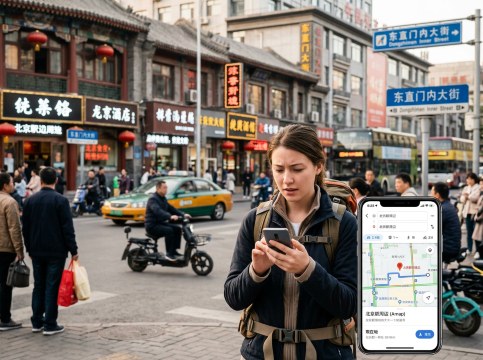
Before you head to mainland China, make sure you've taken care of these preparations.
- I installed Apple Maps, AMap Global, and Baidu Maps
- Updated the app to the latest version
- Allowed location and precise location
- I searched for the route from the airport to my hotel once.
- Saved the hotel's Chinese name, address, and phone number
- I've saved the nearest station and exit number
- I took screenshots of my booking confirmation and the map screen
- I checked for eSIM and roaming plans that explicitly state they support Google.
- I prepared a note with the address that I can view offline.
- Packed a portable charger
It's important to search for and save your routes, rather than setting up your map app for the first time after you arrive.
Top Shanghai Hotels
Top Beijing Hotels
Top Guangzhou Hotels
See All Hotels























FAQs about Google Map not Working in China
-
Is it possible to use Google Maps in China?
-
Why does Google Maps not line up in China?
-
Does Apple Maps work in China?
-
Does Google Maps work in China with an eSIM?
-
What should I use instead of Google Maps in China?
Disclaimer: This article has been provided by an individual contributor or third party platform. If there is any discrepancy regarding the copyright, please contact us directly and we will delete the content immediately.