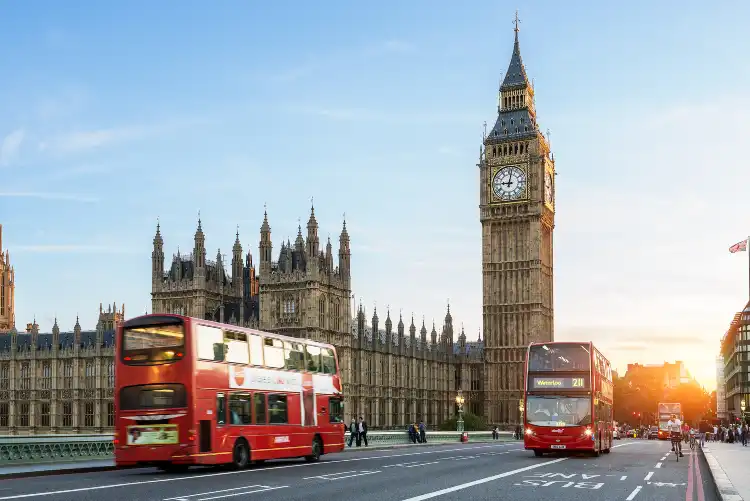
5-Star Hotels in United Kingdom
Select your dates to see the latest hotel prices and availability in .
Scroll down to see hotels
Best United Kingdom 5-Star Hotels Near Attractions

The British Museum
148 hotels
London Eye
148 hotels
Tower Bridge
86 hotels
King’s Cross
132 hotels

Edinburgh Castle
13 hotels
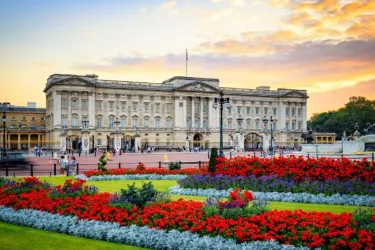
Buckingham Palace
150 hotels
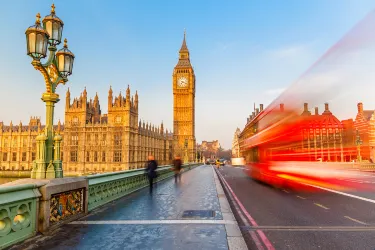
Big Ben
150 hotels
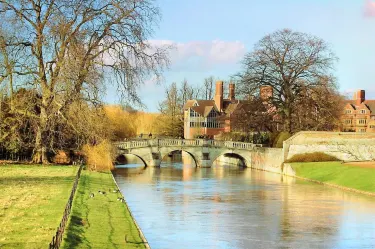
University of Oxford
5 hotels

Princes Street
13 hotels
FAQ
How do I book a hotel on Trip.com?
To book a hotel on Trip.com, simply enter your destination, travel dates, and the number of guests on the page. Then, browse through the available hotels and select the one you want to book. Follow the prompts to enter your payment information and complete the booking.
How do I get hotel deals on Trip.com?
There are several ways to find affordable hotels on Trip.com. You can narrow down your search results by filtering hotels according to your preferred price range, or you can sort the results by price to view the cheapest options first.
Where can I find hotel deals on Trip.com?
Trip.com offers a wide variety of hotel deals and promotions that are available throughout the year. You can easily find these special offers on our deals page. What's more, if you are a member of our loyalty program, you can sign in to your account and discover exclusive discounted rates at hotel list pages.
How can I get lower prices for hotels?
Sometimes booking hotels midweek is cheaper, but it also depends on the season.
How many hotels are listed on Trip.com?
You’ll find over 1,500,000 hotels in 230+ countries and regions on Trip.com. Can’t decide which hotel to book? Browse the site for inspiration!
Can I cancel or change my hotel bookings on Trip.com?
It depends on the hotel policy and date of cancellation. Please check the policy section of the related hotel pages. To cancel or change your bookings, sign in to your Trip.com account, go to "My Bookings", and follow the instructions.
How do I contact Trip.com customer support?
You can contact Trip.com's 24/7 customer support by visiting the Help Center on Trip.com and submitting a request. You can also contact us by phone or service chat, depending on your location.
Recommendations
Hotel Star Rating
5-Star Hotels in Delhi5-Star Hotels in Hong Kong4-Star Hotels in Hong Kong5-Star Hotels in Wellington4-Star Hotels in Delhi5-Star Hotels in Victoria5-Star Hotels in Chandigarh5-Star Hotels in Melaka4-Star Hotels in Victoria5-Star Hotels in BeirutStar 5 Hotels in MelbourneStar 5 Hotels in SydneyStar 5 Hotels in BrisbaneStar 5 Hotels in BaliStar 5 Hotels in AdelaideStar 5 Hotels in PerthStar 5 Hotels in TokyoStar 5 Hotels in CanberraStar 5 Hotels in BangkokStar 5 Hotels in Ho Chi Minh City5-Star Hotels in Singapore5-Star Hotels in Fiji4-Star Hotels in Singapore3-Star Hotels in Singapore5-Star Hotels in India5-Star Hotels in Maldives5-Star Hotels in Philippines5-Star Hotels in Mauritius4-Star Hotels in Fiji5-Star Hotels in Seychelles
Trip.com Latest Trends
5-Star Hotels in Saint Lucia4-Star Hotels in Tunisia3-Star Hotels in Mali5-Star Hotels in Zimbabwe5-Star Hotels in New Zealand3-Star Hotels in Barbados2-Star Hotels in Iran5-Star Hotels in Paraguay5-Star Hotels in Mozambique5-Star Hotels in Belarus2-Star Hotels in Toyama Prefecture2-Star Hotels in Kaafu Atoll2-Star Hotels in Ningxia3-Star Hotels in Banteay Meanchey Province4-Star Hotels in Ribeira Grande de Santiago3-Star Hotels in Brasov2-Star Hotels in Chu3-Star Hotels in County Tipperary4-Star Hotels in Oaxaca3-Star Hotels in Jizzakh5-Star Hotels in Mauritius5-Star Hotels in Maldives5-Star Hotels in India4-Star Hotels in Fiji4-Star Hotels in SingaporeHotels in Seneca CountyHotels in NotoHotels in MontagnacHotels in StrathcarronHotels in Galdar