Trip.com Air Flexibility Guide: Options and How to Use It


Discover the best air flexibility options, learn how to change or cancel your trip easily with top airlines and platforms like Trip.com. Travel smarter with our comprehensive guide!
to Bali
to Singapore
to Shanghai
See all flights


What Is Trip.com Air Flexibility
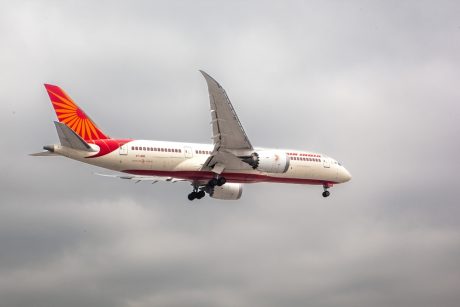
Air India Flight AI171 Crash: what help is available to passengers ...
In addition to being classified into service classes such as first class, business class, premium economy class and economy class, airlines also divide each flight into different sub-classes based on price, terms and benefits. For instance, different sub-cabins can earn different flight miles, and even flights can be changed or cancelled for free, making it a flexible ticket.
In addition, Trip.com also takes care of passengers whose itineraries may change. As long as you choose a flight that meets the conditions when booking and select the "Safe Flight Cancellation and Change Plan", you can enjoy the right to change or cancel your flight. In case of unexpected situations, you can respond flexibly, allowing you to travel without worries and plan more easily, truly achieving "fly whenever you want and change flights freely".
Here are features of Trip.com Air Flexibility:
Feature | Meaning |
No-fee changes | Change travel dates without a change fee (price difference applies). |
Free cancellation | Cancel ticket for free within a defined timeframe (most commonly 24–48 hours). |
Open-ended tickets | Some tickets may permit flexible travel dates or flight credit in the future. |
Multiple changes | Above one change to your booking without additional penalties. |
Refundable tickets | Get your money back if you cancel your trip — not just a voucher. |
Trip.com Air Flexible Flight Options

Source from Unsplash
For travelers seeking peace of mind, several popular airlines in the Australian market offer excellent fare flexibility. Here’s a breakdown of key carriers and their policies:
- Qantas: The national carrier offers various fare types. Its 'Flex' fares typically allow unlimited time and date changes before departure, with no change fees (fare difference may apply). Refunds are provided as travel credit. Classic Flight Rewards also offer good change flexibility for frequent flyers.
- Virgin Australia: Provides 'Change Flexible' fares which permit changes to the date, time, or route for a fee, plus any fare difference. For a higher upfront cost, their 'Flexible' fares offer more generous change conditions and refund options.
- Jetstar: While a low-cost carrier, Jetstar offers a 'Flexible Plus' bundle (paid add-on) that includes free unlimited time and date changes, a cancellation option for Jetstar credit, and other benefits like baggage allowance. Their standard fares are generally more restrictive.
- Scoot: This Singapore Airlines budget subsidiary provides a 'ScootFlex' add-on. Purchasing this allows unlimited flight itinerary changes without change fees and the option to cancel for travel credit up to 4 hours prior to departure, which is excellent for cost-conscious travelers.
Trip.com Air Flexibility | Steps to Change Your Flight
Source from Unsplash
- Find "My Bookings" in the Trip.com App: Open the Trip.com mobile app on your phone. After logging into your account, select the "My Trips" button to view your booking details.
- Find Your Itinerary in the Trip.com App: All your trips are displayed clearly by date and time. Select the itinerary for the flight ticket you wish to change, and tap "Manage My Booking".
- Cancel or Change Your Itinerary: Trip.com understands that travel plans can change unexpectedly, and we want to ensure our customers can travel flexibly. Simply select "Change Booking" on the affected itinerary to make new arrangements.
- Flight to Change: Select the passenger(s) and the original flight within the itinerary that need to be changed. Then, choose a new departure date.
- Select a New Departure Date: On the calendar, choose your new departure date.
- Select a New Flight: Based on your new departure date, the system will filter and display the available flights and fares for that day. Please select your preferred flight, departure time, and airline.
Find Best Global Hotel
See All Hotels
 NO.1
NO.1






How to Book Flexible Flights
Booking a flexible flight need not be daunting. The following are some of the practical ways of ensuring you obtain the flexibility you require:
- Apply Filters: On booking platforms such as Trip.com, apply the “Air Flexibility” filter in order to shortlist flights that offer free or low-fee cancellation and modification.
- Read Fare Rules Carefully: Check the ticket’s terms and conditions — look for keywords like “no change fee,” “free cancellation,” or “refundable.”
- Consider Add-ons: Some airlines offer flexibility as an add-on during booking — evaluate if the extra cost fits your budget and travel risk.
- Book Early but Stay Flexible: Booking early can save money, but choose fares that don’t lock you into strict change policies.
- Save Confirmation Details: Keep your booking confirmation and familiarize yourself with the airline’s change and cancellation procedures to avoid surprises later.
Car Rentals
Car Rental Promo Code - 8% Off
New User Enjoy up to 8% Off
TRIPCAR8
Trip.com Air Flexibility | How to Use it for Flexible Flight Dates
Trip.com Air Flexibility | Start a Flexible Search
On Trip.com’s flight search page, toggle on "Flexible Dates" (usually below the date fields).
Choose your search mode:
- ± 3 Days: Searches 3 days before/after your selected date.
- Whole Month: Shows prices for the entire month.
- Anytime: Finds the cheapest flights within 1-6 months (ideal for open plans).
Trip.com Air Flexibility | Use the Price Calendar
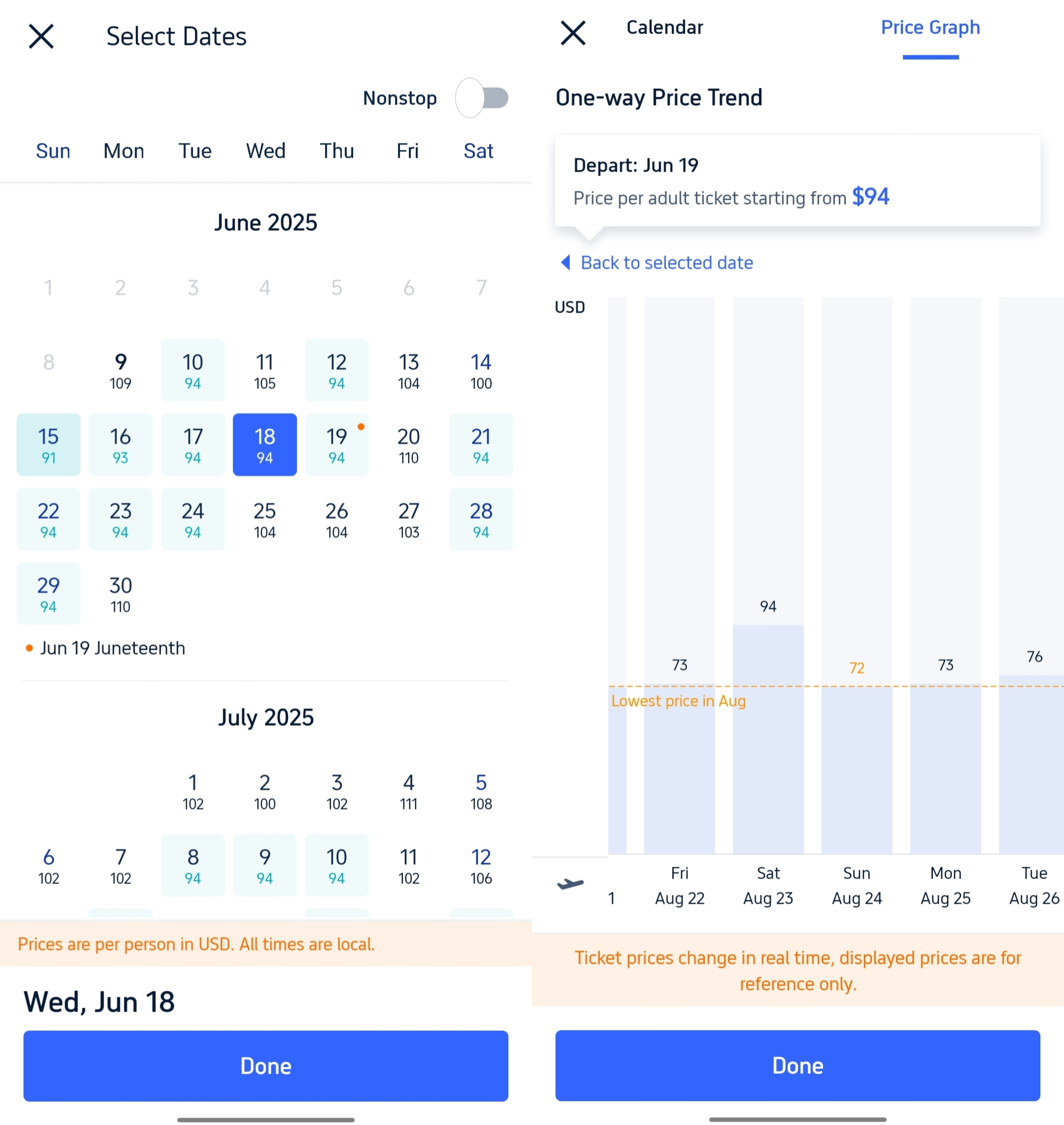
- After searching, click "View Price Calendar".
- Green dates = cheapest fares.
- Hover/click dates to see exact prices and flight options.
Trip.com Air Flexibility | Filter for Changeable Tickets
- Under "Filters," select "Ticket Type" → "Flexible" or "Free Changes" (availability varies by airline).
- ⚠️ Always check the fare rules:"Flexible" may mean low-fee changes, not zero-fee.
Trip.com Air Flexibility | Book & Manage Flexibility
After booking:
- Go to "My Bookings" → Select your flight → "Change Flight".
- If you booked a flexible fare, changes can often be made online with minimal fees (may pay fare difference).
- Non-flexible fares may incur high change fees (check airline policy).
See all attractions







What You’ll Get with Trip.com Air Flexibility
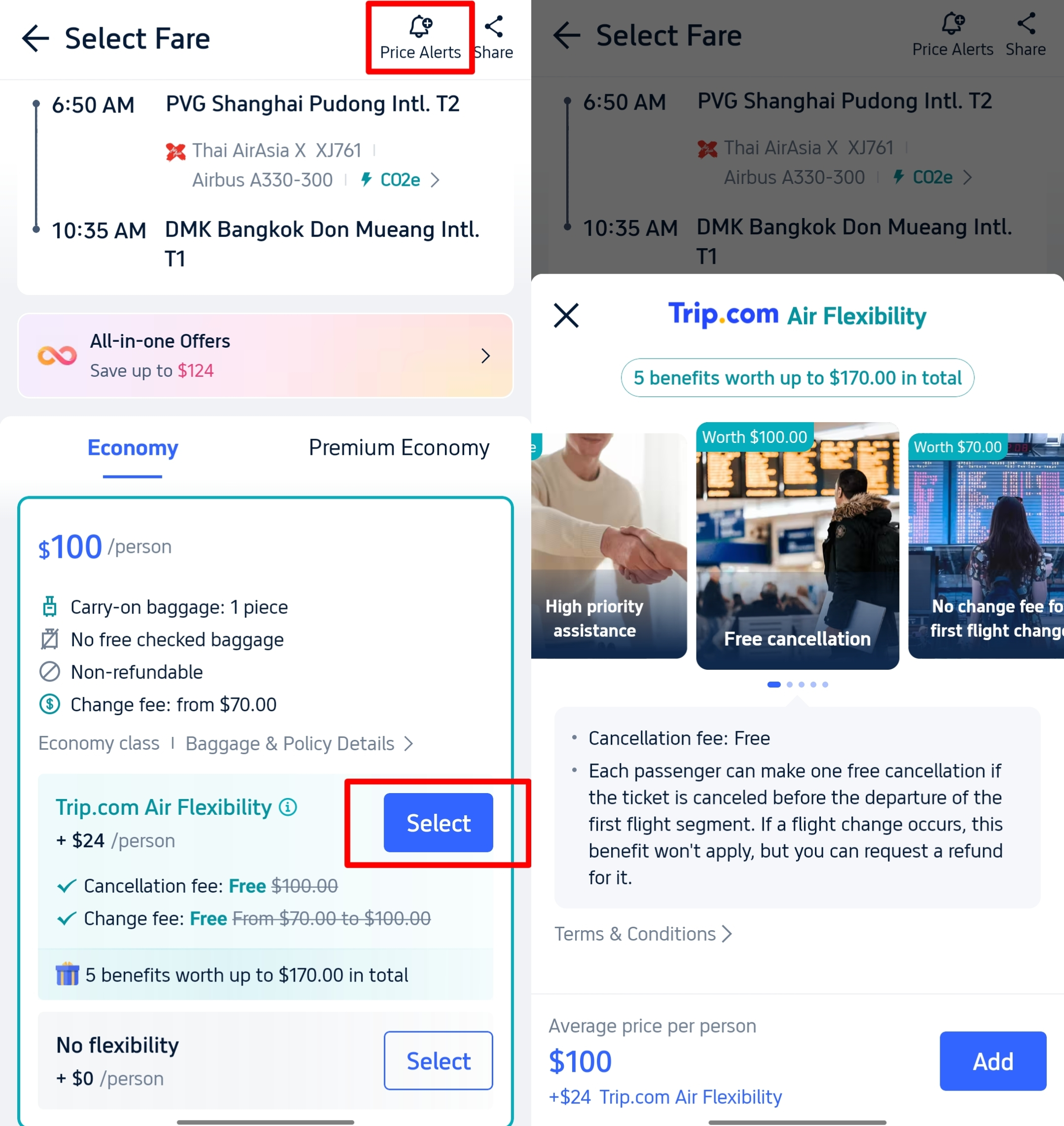
- ✅ 1 FREE Change: Change your flight date, time, or even route once — for free. Just make sure to do it before your first flight departs.
- ✅ FREE Cancellation: Changed your mind? You can cancel your entire booking once and get a full refund, as long as it’s before departure.
- ✅ Priority Support: Need help fast? You’ll get priority customer service — no need to wait long in queue.
FAQs about Trip.com Air Flexibility
-
What is air flexibility on Trip.com?
-
What does "flexible ticket on my trip" mean?<br>
-
Can I cancel trip.com air flexibility?
Disclaimer: This article has been provided by an individual contributor or third party platform. If there is any discrepancy regarding the copyright, please contact us directly and we will delete the content immediately.
Trending Searches
-
Top Flight Routes
-
Latest Flight Deals
-
eSIM/SIM card