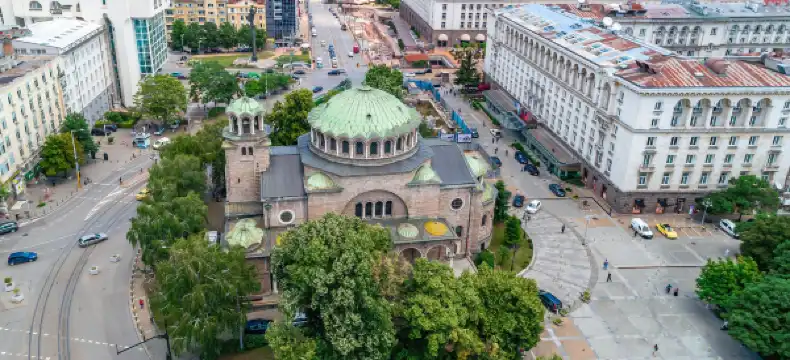

Mercure Stays in Sofia
Select your dates to see the latest prices and availability for Mercure stays in Sofia
Scroll down to see hotels
Filter by:
Hotel Star Rating
≤2345
Guest Rating
Amazing 9+Great 8+Good 7+Pleasant 6+Brand
HMG HotelsBest Western PlusDesign HotelsRosslyn Hotels GroupRamada by WyndhamNovotel
1 Best Mercure Stays in Sofia
Check out our selection of great Mercure stays in Sofia
Most Booked
Lowest price
Closest to downtown
Highest Rated
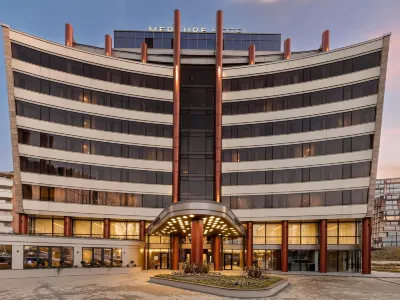
Hotels in Sofia
UUNI HEAVEN 2025.03.08
No doubt New and Stylish.
The front desk charged room fee again for my pre paid room. So, precaution to check the hotel bill seriously before leave.
39 reviews
6.5/10
Check Availability
FAQs about Mercure Stays in Sofia
How do I book a hotel on Trip.com?
To book a hotel on Trip.com, simply enter your destination, travel dates, and the number of guests on the page. Then, browse through the available hotels and select the one you want to book. Follow the prompts to enter your payment information and complete the booking.
How do I get hotel deals on Trip.com?
There are several ways to find affordable hotels on Trip.com. You can narrow down your search results by filtering hotels according to your preferred price range, or you can sort the results by price to view the cheapest options first.
Where can I find hotel deals on Trip.com?
Trip.com offers a wide variety of hotel deals and promotions that are available throughout the year. You can easily find these special offers on our deals page. What's more, if you are a member of our loyalty program, you can sign in to your account and discover exclusive discounted rates at hotel list pages.
How can I get lower prices for hotels?
Sometimes booking hotels midweek is cheaper, but it also depends on the season.
How many hotels are listed on Trip.com?
You’ll find over 1,500,000 hotels in 230+ countries and regions on Trip.com. Can’t decide which hotel to book? Browse the site for inspiration!
Can I cancel or change my hotel bookings on Trip.com?
It depends on the hotel policy and date of cancellation. Please check the policy section of the related hotel pages. To cancel or change your bookings, sign in to your Trip.com account, go to "My Bookings", and follow the instructions.
How do I contact Trip.com customer support?
You can contact Trip.com's 24/7 customer support by visiting the Help Center on Trip.com and submitting a request. You can also contact us by phone or service chat, depending on your location.
Find out more about Sofia
More Popular Hotel Brands
Accommodation types
Hotels near Attractions
Hotels near Cathedral Saint NedeliaHotels near Sofia Public Mineral BathsHotels near National GalleryHotels near National Museum of Natural HistoryHotels near Central Synagogue of SofiaHotels near Patriarchal Cathedral St. Alexander NevskyHotels near Sofia mosque - Banya BashiHotels near St. Sofia ChurchHotels near National Museum of Military HistoryHotels near Sveti Nikolai Russian ChurchHotels near Sofia International AirportHotels near Sofia Station