How to Add Extra Baggage to Your Flight Booking


When planning a trip, one of the most common questions travelers face is: “Do I have enough baggage allowance?” Airlines typically include a standard allowance, but if you’re packing more than expected, you’ll need to add extra baggage to your flight booking. Doing it the right way can save you money, time, and stress at the airport.
to Bali
to Singapore
to Shanghai
See all flights


Can to Buy Additional Baggage via Trip.com?

Baggage Insurance - Protection for Luggage Loss, Delay & Theft
Yes, you can purchase additional baggage when booking flights on Trip.com. Since most low-cost carriers do not include checked baggage, passengers can purchase baggage allowances according to their needs. However, please note that the available weight, baggage types (carry-on vs. checked), and policies regarding changes, adjustments, or cancellations all depend on the specific airline's policy. Therefore, it is important to read the baggage policy carefully before making your purchase.
How to Check Flight Baggage Allowance with Trip.com
When booking your ticket on platforms like Trip.com, you’ll see baggage options such as extra baggage cost before checkout. Select the weight or number of bags you need and pay upfront.
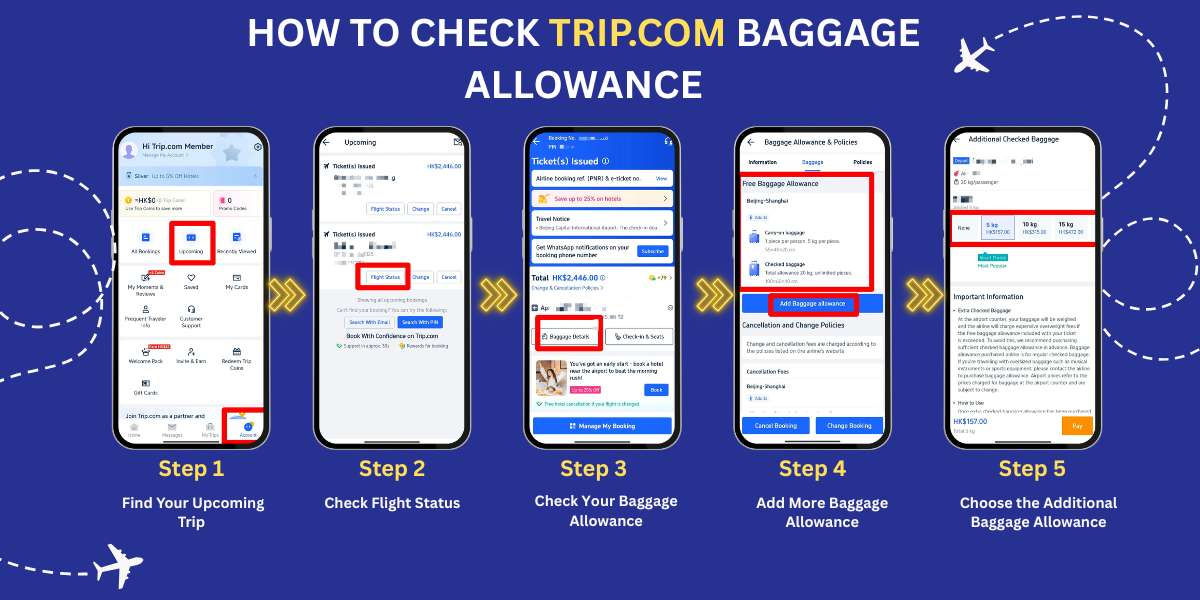
Trip.com Add-on Baggage | Find your Upcoming Trip
- Open the Trip.com App: Start by opening the Trip.com app on your phone.
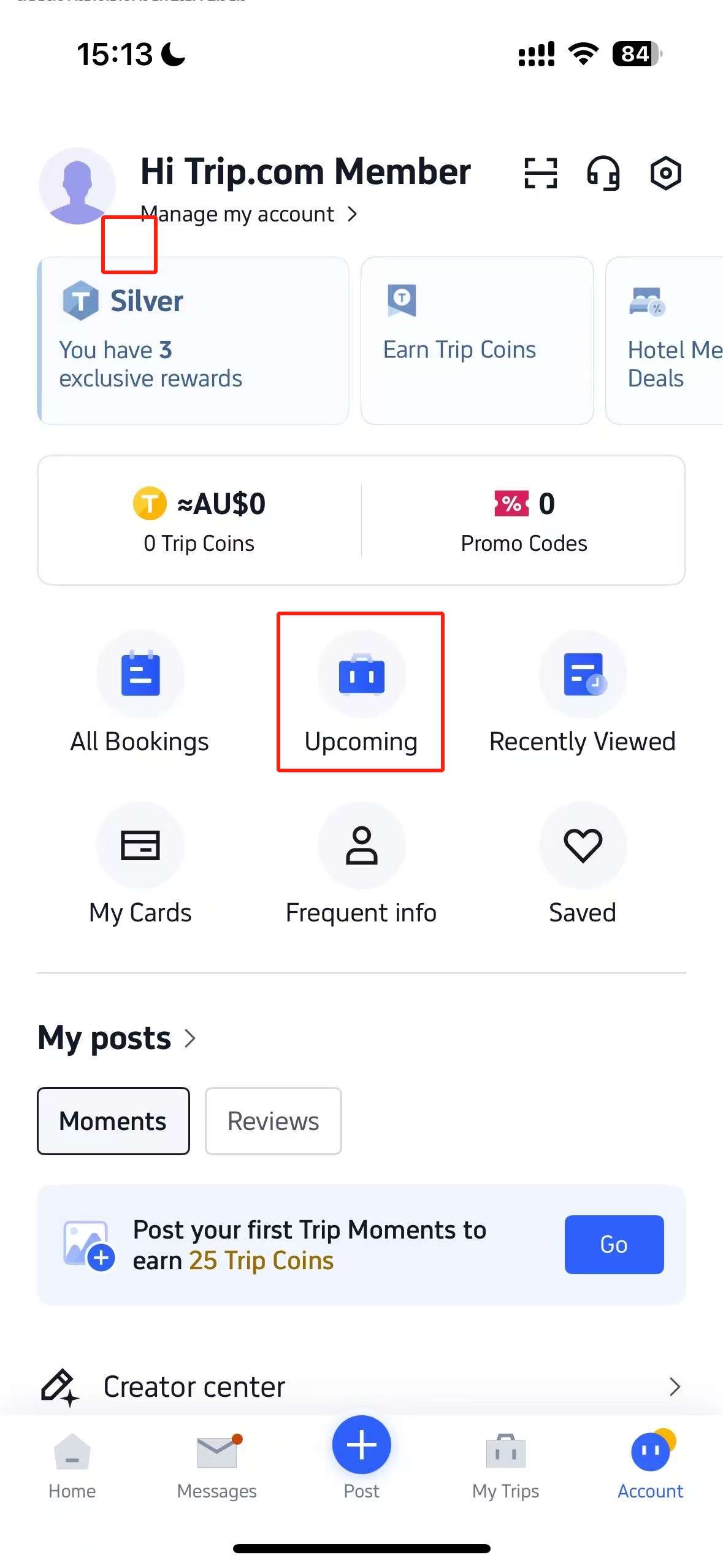
- Tap the Account Icon: At the bottom of the screen, you'll see an icon labeled Account. Tap on it to go to your account page.
- Locate the "Upcoming" Section: On your account page, there is a button in the center that says Upcoming. Tap this to view your upcoming trips.
Trip.com Add-on Baggage | Go to Check Flight Status
- Select Your Flight: You will see a list of flights you have booked. Find the one you want to check and tap on it.
- Review Ticket Information: After selecting your flight, you will see basic details about your ticket.
- Tap "Flight Status": To view more information, tap on the Flight Status button.
Trip.com Add-on Baggage | Check and Add More Baggage Allowance If Needed
- Find Baggage Details: On the next page, which shows more detailed ticket information, look for a button labeled Baggage Details. Tap it to view your baggage allowance.
- View What’s Included: On the Baggage Details page, you will see the amount of free baggage included with your ticket. This will show both carry-on and checked baggage allowances, such as the number of bags and weight limits.
- Check the Free Baggage Allowance: For example, it might state that you are allowed one carry-on bag up to 5 kg and checked baggage up to 20 kg.
How to Buy Additional Baggage on Trip.com?
Note: Some airlines do not support baggage add-ons. Availability depends entirely on the specific airline's policy.
- Step 1: Go to the Trip.com flight search page, enter your origin, destination, dates, and cabin class. Search for flights and click on your preferred departure.
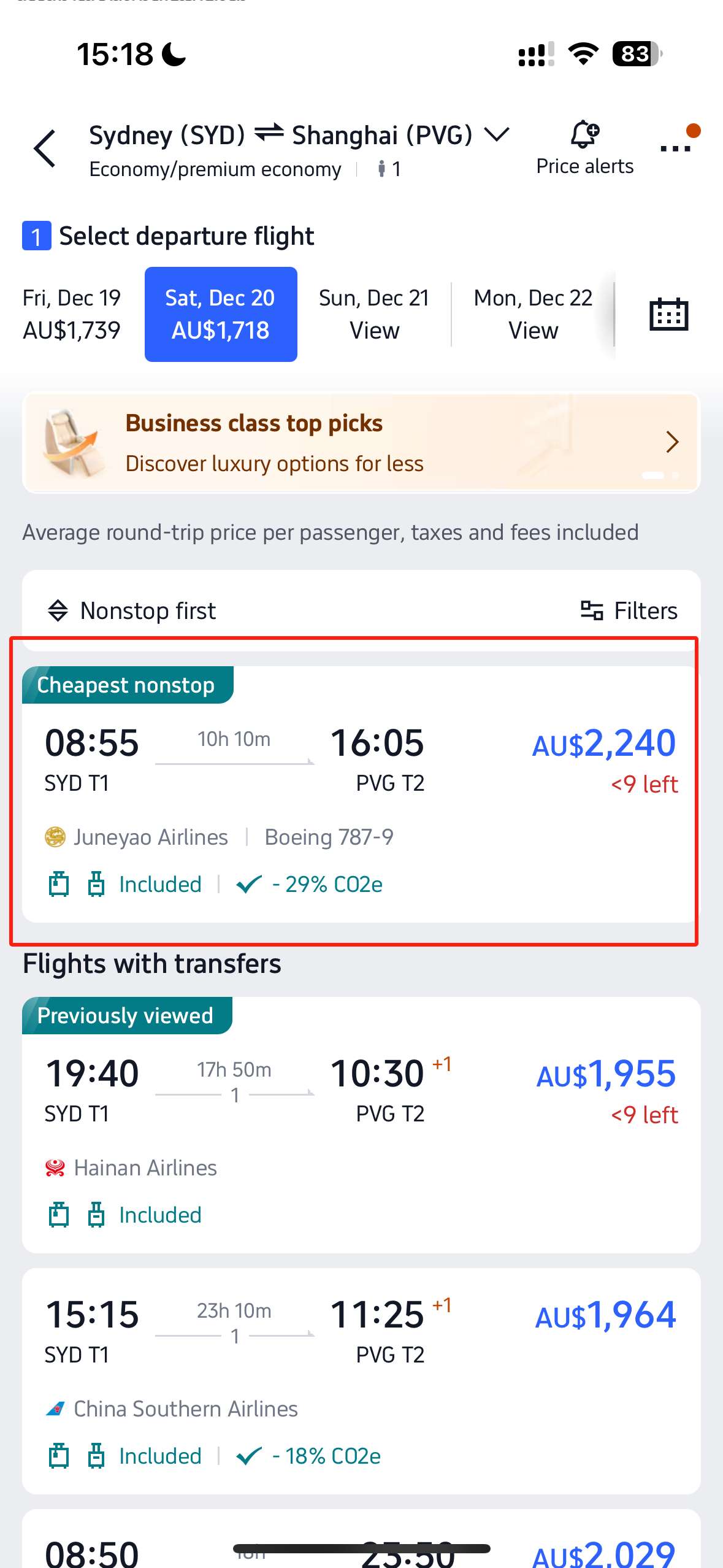
- Step 2: Choose your fare. If you are concerned about potential itinerary changes, prioritize selecting the "Trip.com Flexibility" service to avoid high fees later.
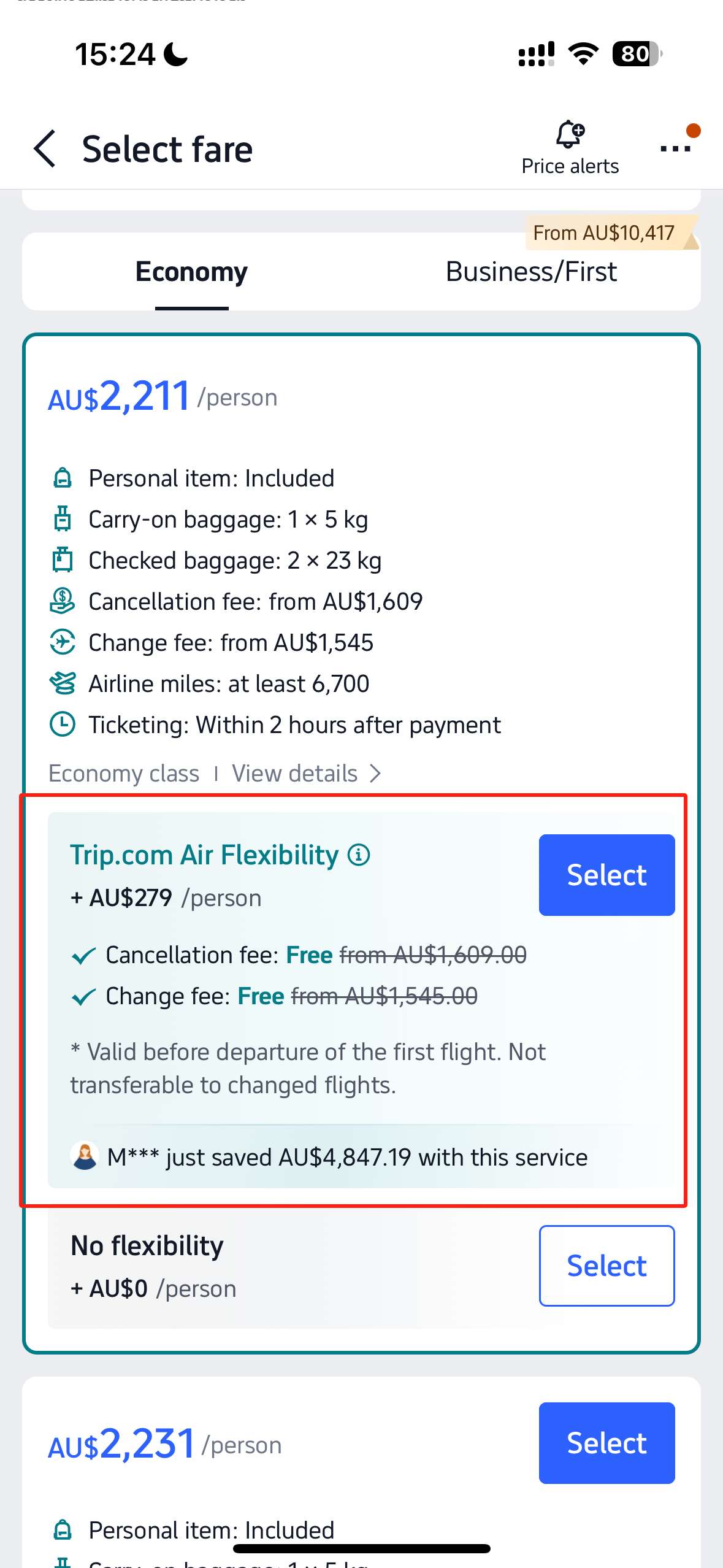
- Step 3: Confirm that the flight details are correct and fill in the passenger information. Once completed, choose whether to add extra baggage. If needed, select the appropriate weight (kg) and click "Continue."
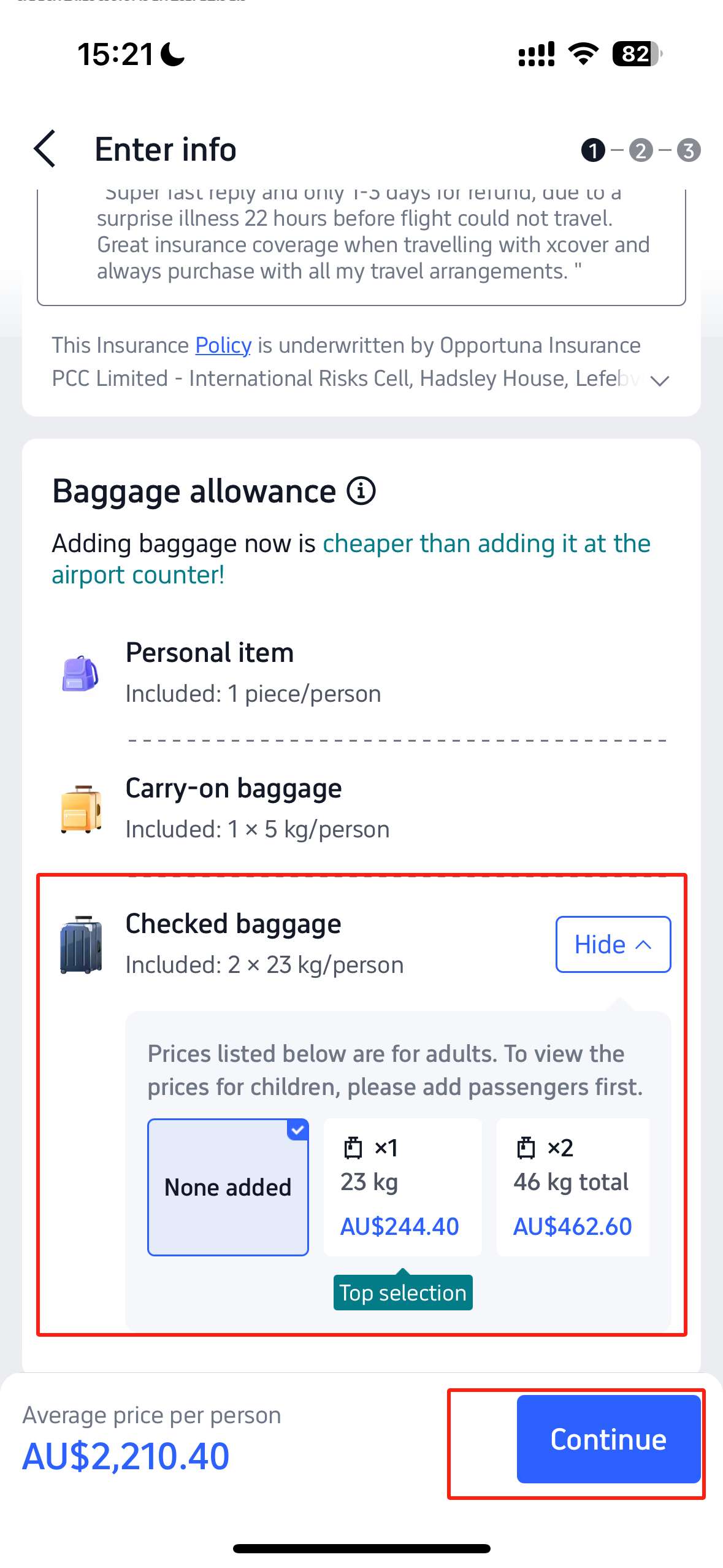
- Step 4: Check if you require other services, such as seat selection, in-flight meals, AirHelp Plus, or flexible travel options. After selecting based on your needs, click "Proceed to Payment."
- Step 5: Complete the payment within the time limit. Once the system displays that the ticket has been issued, it means you have successfully booked your flight and purchased the additional baggage.
※ Baggage Allowance Tips: In addition to the weight limit, always pay attention to the dimensions of your suitcase (length + width + height). Generally, the sum of the three sides for a piece of checked baggage must not exceed 158 cm. Furthermore, remember to check if these measurements include accessories like wheels and handles.
Can I Add Baggage after My Flight Booking is Completed?
Yes, if you have booked a flight through Trip.com and the ticket has already been issued, you can still add extra baggage. However, please note that some airlines' baggage policies do not support post-booking purchases. Always refer to the specific regulations listed on your ticket!
- Step 1: Go to "Upcoming" and select the specific flight booking you wish to add baggage to.
- Step 2: On the flight details page, select "Baggage Details" to view the current baggage allowance for that flight.
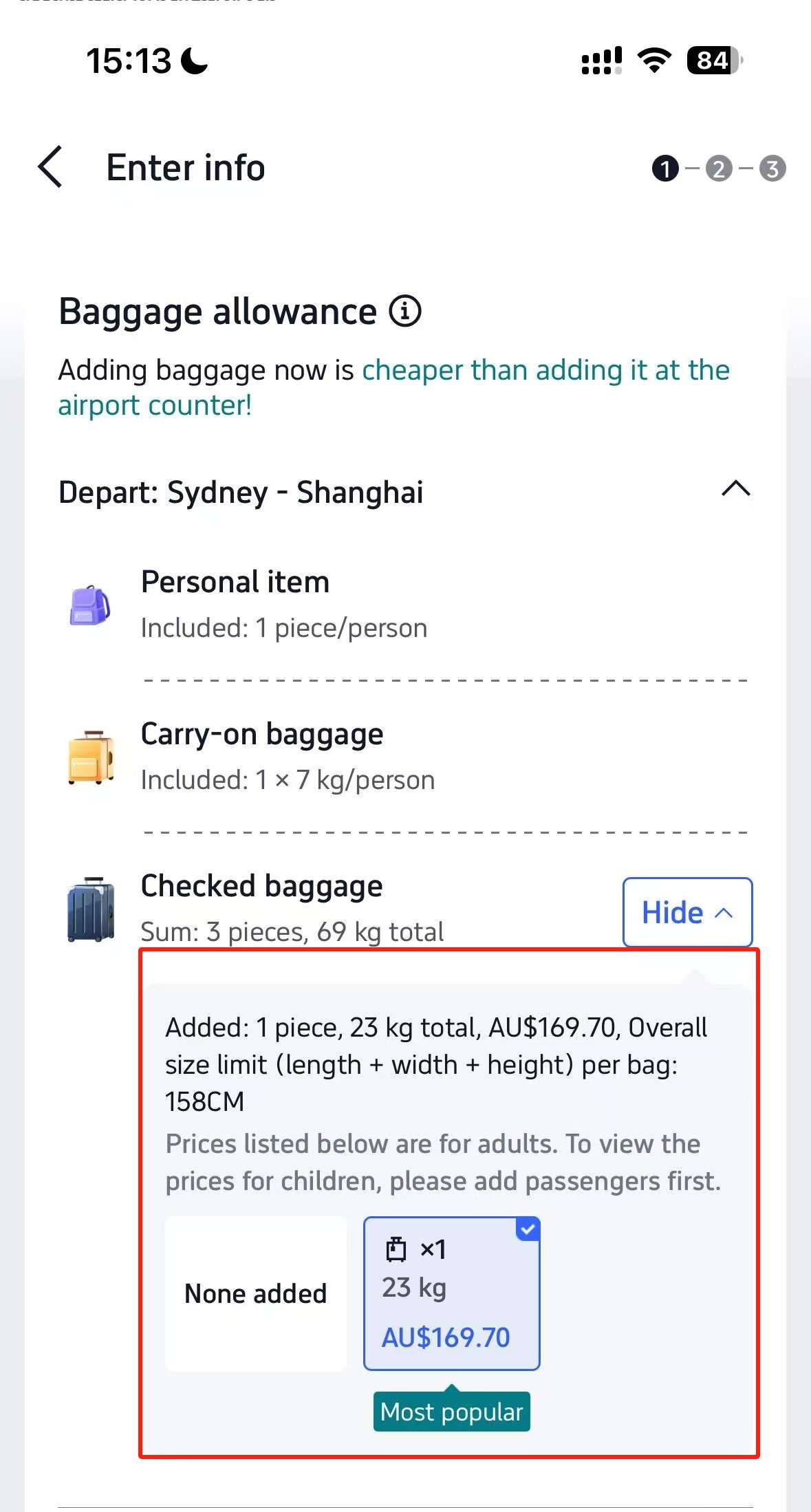
- Step 3: Choose the additional baggage weight (kg) you wish to purchase, then click "Pay Now."
- Step 4: Complete the payment within the time limit. Once you receive a confirmation email regarding your extra baggage, the purchase is successful.
See all attractions
 2592 booked






Find Best Global Hotel
See All Hotels







FAQs about Adding Extra Baggage to Flight Booking
-
Can I transfer baggage allowance to another passenger?
-
Do credit cards or loyalty programs offer free baggage?
-
Can I add extra baggage after booking?
Disclaimer: This article has been provided by an individual contributor or third party platform. If there is any discrepancy regarding the copyright, please contact us directly and we will delete the content immediately.
Trending Searches
-
Top Flight Routes
-
Latest Flight Deals
-
eSIM/SIM card