Best Asia eSIM: Trip.com 8 Asia Coutries eSIM Price & Reviews

Looking for the top Southeast Asia eSIM in 2026? Skip the hassle of physical SIM cards and get connected instantly upon arrival. Our guide compares the best providers, plans, and prices to help you choose the perfect eSIM for your trip to Southeast Asia and beyond.
to Bali
to Bangkok
to Shanghai
to Tokyo
to Seoul
See all flights


Which eSIM is Best for Asia travel?
The Trip.com Asia eSIM is a top contender, with daily rates starting from just AU$0.34. Choose from flexible data plans ranging from 1GB for a quick getaway to 30GB for an extended stay. Don't miss out—grab an exclusive 5% off with the coupon below. Explore the best plans and prices for your Asian adventure.

Asia eSIM
- CoverageAsia Region
- Data0.5GB to 30GB
- Validity1 to 30 Days
- Pricefrom AU$0.51

Southeast Asia eSIM
- CoverageSoutheast Asia
- Data0.5GB to 50GB
- Validity1 to 30 Days
- Pricefrom AU$0.32
Global eSIM
- Coverage66 Countries
- Data0.5GB to 5GB
- Validity1 to 7 Days
- Pricefrom AU$2.00
Why Choose Trip.com Asia eSIM Providers 2026
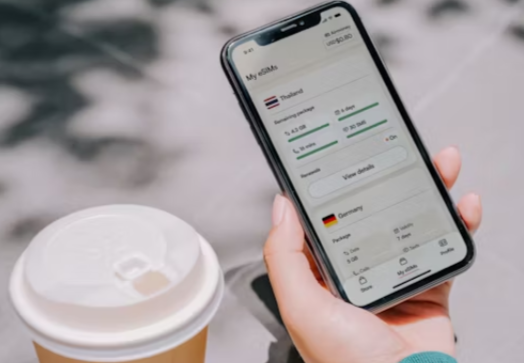
Source from Unsplash
Trip.com's Asia 8-country eSIM presents a compelling case for travelers, offering distinct advantages over single-country Southeast Asian eSIM packages. The key reasons for choosing it are its extensive coverage, cost-effectiveness, superior convenience, and high user satisfaction.
Feature | Other Single-Country eSIMs | |
Trip.com Asia eSIM Reviews – What Real Travelers Say
Asia (12 Countries) | 4G/5G eSIM | Data Package | 365 Days Ultra-long Validity | 24-hour Billing | Real-name Registration Required for Hong Kong & Taiwan | QR Code
4.5/5
259 reviewsI used it in two countries: Thailand and Vietnam. It connected quickly and worked reliably! 🥰🥰

5G/4G eSIM in 8 Asian countries | Multi-network support, supports ChatGPT & Google Maps | 500MB/day - 50GB total | 1-30 days | 24-hour billing | QR code
4.6/5
6137 reviewsI'm very happy with my eSIM purchase! The internet works great, the speed is good, and the connection was quick and hassle-free. It's a great option for traveling around Vietnam.
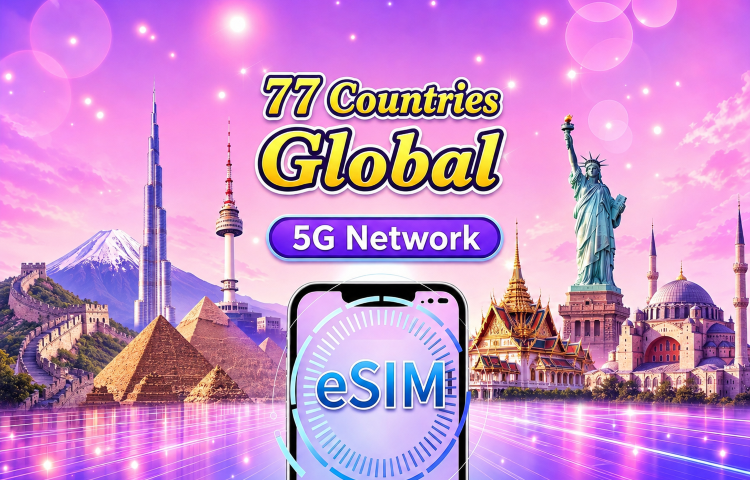
Global (77 Countries) 5G/4G eSIM | Supports Google Maps/TikTok/ChatGPT | Total Data Plan | 24-Hour Billing | 1–30 Days | QR code
4.4/5
31522 reviewsI had an amazing experience with this eSIM during my trip through Paris, Bruges, Ghent, and Brussels. The service was reliable the entire time and never let me down. I had a strong signal everywhere I went — from busy city streets to exploring different areas around Belgium and France.
It made travelling so much easier because I could use maps, stay connected, share photos, and communicate without worrying about losing connection or finding Wi-Fi. The setup was simple, the connection was fast, and the coverage was excellent.
I would definitely recommend this eSIM to anyone travelling in Europe. It gave me peace of mind knowing I was always connected throughout my trip.
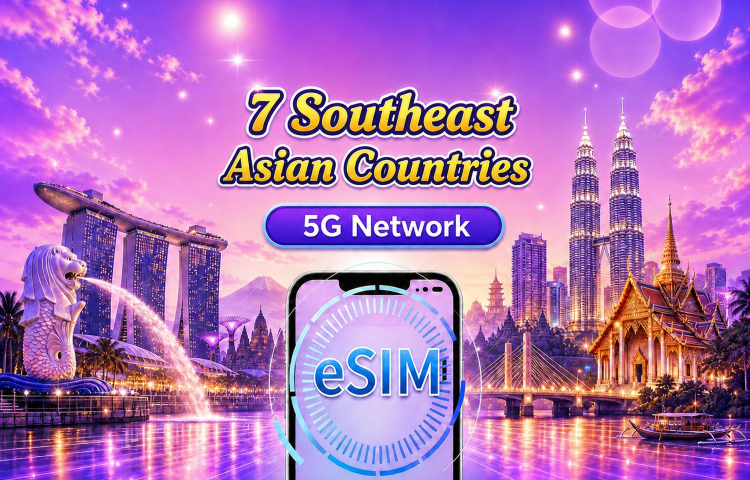
Southeast Asia (7 countries) | 5G/4G eSIM | Daily plan/Data package | 24-hour billing | 1 - 30 days | QR code
4.5/5
2684 reviewsThe price-quality ratio is the best. We've never had any problems since installation. It's always 5G-enabled, and even in more remote areas, the signal is good. We moved to a different country and there were no issues. We'll definitely buy it again when we travel. It's the best option, without a doubt.
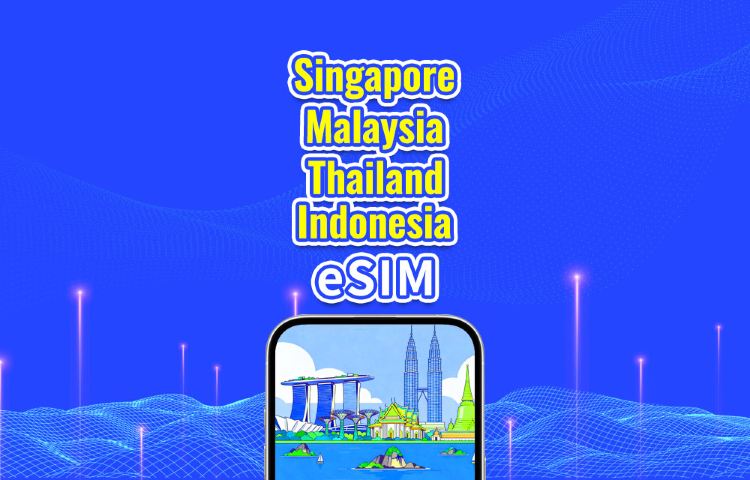
Southeast Asia 5G/4G eSIM | Singapore/Malaysia/Thailand/Indonesia | Daily Package/Data Package | 24-Hour Billing | 1-30 Days | QR Code
4.7/5
1376 reviewsGreat service from Trip.com! The booking confirmation was quick, and all the necessary information was clearly provided. Very satisfied with the experience.💗💗💗💗💗💗💗💗💗💗💗💗💗💗💗💗💗💗💗💗💗💗💗💗💗💗💗💗💗💗💗💗💗💗💗💗
Does Your Phone Support Asia eSIM?
Source from Unsplash
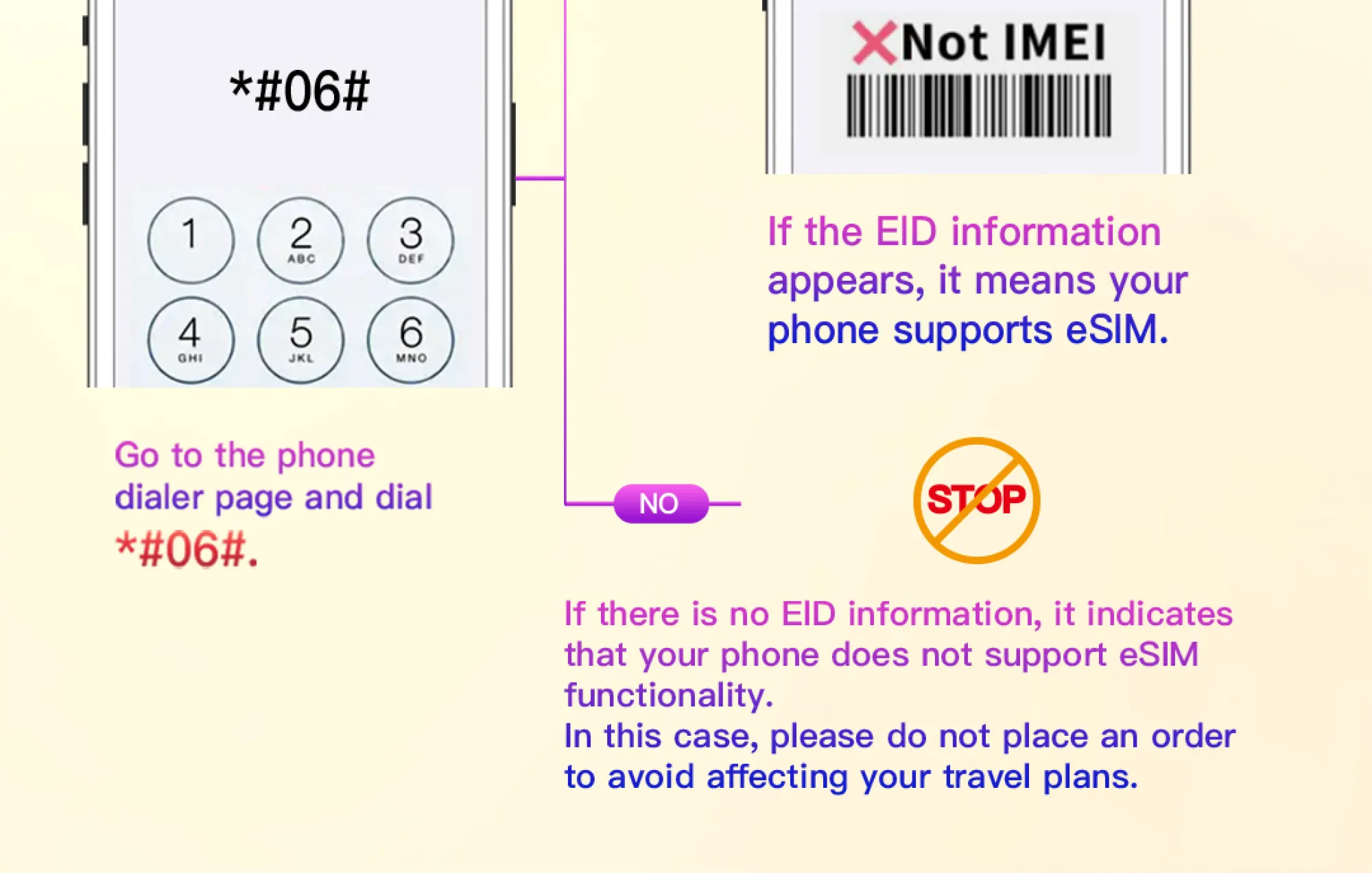
Method 1: The Quickest Check (Universal)
- Open the Phone or Dialer app on your device.
- Dial: *#06#
- Your screen will display your phone's unique identification numbers.
- What to look for:
- If you see an EID (Embedded Identity Document) number, your phone definitely supports eSIM.
- If you only see an IMEI number (and no EID), your phone likely only supports a physical SIM card.
The presence of an EID is the best indicator of eSIM support.
Method 2: Check Your Phone's Settings
You can also find this information in your settings menu. The path varies by operating system.
For iPhones (iOS):
- Go to Settings > General > About.
- Scroll down. If you see "Digital SIM" or "EID", your iPhone supports eSIM.
- Supported Models: All iPhone XS, XR, 11, 12, 13, 14, 15 series and newer. (iPhone 14 and 15 models in the US are eSIM-only).
For Android Phones:
- Go to Settings > About Phone.
- Look for "SIM Status" or "IMEI Information". You should see an entry for EID if eSIM is supported.
- Supported Models: Many Google Pixel (3 and newer), Samsung Galaxy (S20 series and newer, Z Fold/Flip series), and other flagship models from various brands. Support is now common in mid-range models as well.
How to Set Up Asia eSIM on iPhone & Android
Step 1: Start the Installation
- Go to Settings > Cellular.
- Tap "Add Cellular Plan".
Step 2: Scan the QR Code
- Use your iPhone's camera to scan the QR code provided by Trip.com.
- A prompt will appear at the top of the screen saying "Cellular Plan Detected." Tap it.
Alternative: If you saved the QR code as an image, go to Settings > Cellular > Add Cellular Plan > Use QR Code from Photo Library.
Step 3: Configure the eSIM
You will see a screen to set up your cellular plan. It's crucial to configure these settings correctly:
- Label: Rename it to something clear, like "Asia Data" or "Trip.com eSIM".
- Default Line: For Cellular Data, select your NEW Asia eSIM. This tells your phone to use the eSIM for internet browsing.
- Turn On This Line: Make sure this is switched on.
Step 4: Activate and Enable Data Roaming
- Follow the on-screen prompts to complete the installation.
- After installation, go back to Settings > Cellular > [Your Asia eSIM].
- Turn ON "Data Roaming". This is essential for the eSIM to connect to local networks abroad.
Step 5: Using the eSIM (When You Arrive)
- Once you land in Asia, your iPhone should automatically connect to a local network using the eSIM.
- To ensure it's working, you can temporarily turn off your primary line (Settings > Cellular > [Your Primary Line] > Turn On This Line -> Off). This forces the phone to use only the eSIM.
Which Asian Countries does Trip.com eSIM work in?
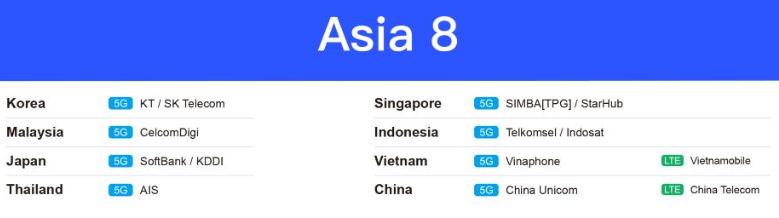
Trip.com Asia esim connects to the top local operators in each country to achieve good coverage. The following are Asia eSIM networks used by Trip.com's eSIM in popular destinations in Asia:
Country | Networks (5G or LTE) |
South Korea | KT, SK Telecom (5G) |
Singapore | SIMBA (TPG), StarHub (5G) |
Malaysia | CelcomDigi (5G) |
Indonesia | Telkomsel, Indosat (5G) |
Japan | SoftBank, KDDI (5G) |
Vietnam | Vinaphone (5G), Vietnamobile (LTE) |
Thailand | AIS (5G) |
China | China Unicom (5G), China Telecom (LTE) |
See More International eSIM Plans for Your Trip
 China eSIM China (HK) eSIM
  Thailand eSIM
  Japan eSIM
  Vietnam eSIM
  India eSIM
  Malaysia eSIM
  South Korea eSIM
  Indonesia eSIM
  UK eSIM
  Singapore eSIM
  USA eSIM
  Italy eSIM
  Egypt eSIM
  Saudi Arabia eSIM
  Germany eSIM
  Canada eSIM
  Portugal eSIM
  Pakistan eSIM
  Aruba eSIM
  Switzerland eSIM
  Greece eSIM
  Israel eSIM
  Morocco eSIM
 [8% OFF] Trip.com Asia Hotel Recommendations
Search Top Asia Hotels
See All Hotels
 NO.1
NO.1






FAQs about Asia eSIM
-
Which eSIM is best for Asia travel?
-
How much does an Asia eSIM cost?
-
Do Asia eSIMs have unlimited data?
-
Can I use apps like TikTok or ChatGPT with an Asia eSIM?
-
How do I install a Trip.com Asia eSIM on my phone?
Disclaimer: This article has been provided by an individual contributor or third party platform. If there is any discrepancy regarding the copyright, please contact us directly and we will delete the content immediately.
Trending Searches
-
eSIM/SIM card
-
Popular Cities
-
Latest Flight Deals
-
Popular Attractions
- Shanghai Hotels
- Bali Hotels
- Guangzhou Hotels
- Bangkok Hotels
- Beijing Hotels
- Tokyo Hotels
- Chongqing Hotels
- Hong Kong Hotels
- Melbourne Hotels
- Chengdu Hotels
- Shenzhen Hotels
- Ho Chi Minh City Hotels
- Singapore Hotels
- Zhangjiajie Hotels
- Kuala Lumpur Hotels
- Osaka Hotels
- Sydney Hotels
- Seoul Hotels
- Phuket Hotels
- Xi'an Hotels
- Forbidden City Tickets
- Universal Studios Japan
- Tokyo Disneyland Ticket
- Shanghai Disneyland Fast Pass
- Hutong Beijing
- Zhangjiajie National Forest Park
- Taronga Zoo Sydney minisite
- Shanghai Disneyland Map
- Shanghai Disneyland Ticket
- Shanghai Disneyland Ticket Types
- Canton Tower
- Puffing Billy Tickets
- Shanghai Tower
- Summer Palace Beijing
- Terracotta Warriors