eSIM Korea: Best Plans, Deals & eSIM vs. Pocket WiFi

Planning a trip to Korea and still wondering about the best way to stay connected? An eSIM is definitely your best bet! This Trip.com guide will take you through the pros and cons of eSIM Korea and compare different plans to help you find the perfect fit.
Sydney to Seoul
Melbourne to Seoul
Brisbane to Seoul
See all flights


eSIM Korea Packages with Deals
Need other flexible options? Customise & select from our featured South Korea eSIMs products!
South Korea 5G eSIM
- CoverageSouth Korea
- Data500M to 50GB
- Validity1 to 30 Days
- PriceFrom AUD 0.36
- Reviews (4.6 ★)2,283 reviews
- Bookings59K+ bookings
South Korea 5G/4G eSIM
- CoverageSouth Korea
- Data500M to 50 GB
- Validity1 to 30 Days
- PriceFrom AUD 0.36
- Reviews (4.6 ★)1,703 reviews
- Bookings54K+ bookings
South Korea eSIM 5G
- CoverageSouth Korea
- Data1GB to 30GB
- Validity1 to 30 Days
- PriceFrom AUD 0.32
- Reviews (4.5 ★)282 reviews
- Bookings3K+ bookings
Why Buy Your eSIM Korea on Trip.com?
Affordable and Flexible Data Plans
Trip.com offers a variety of South eSIM Korea packages to suit every traveler.
- Unlimited Data Plans: Perfect for power users who need constant connectivity.
- Fixed Data Plans: Recommended for budget-conscious travelers who want to save money by choosing a plan that fits their specific usage and trip duration.
Whether you are staying for a weekend or a month, Trip.com provides the flexibility to pick the plan that best matches your data needs and length of stay.
Highly Rated by Travelers
The South eSIM Korea products available on Trip.com have received rave reviews from users, ensuring a reliable and high-quality connection you can trust.
Reviews of eSIM Korean
South Korea SKT eSIM | 5G or 4G 100GB Data | Voice & Texts | ChatGPT Full Access | QR code
4.7/5
202 reviewsMy experience ordering a Korean eSIM from Trip.com was fantastic! I received the QR code quickly after ordering, and the setup was incredibly simple – just scan the code and it was done in seconds. As soon as I landed in Korea, I was connected to the signal immediately, and the 5G speed was fast and stable throughout. Whether checking maps, posting on Instagram, or checking in, everything was smooth and lag-free, eliminating the hassle of switching to a physical SIM card. The price was great, and the service was flexible; I'll definitely buy it again next time I travel abroad!
South Korea 5G eSIM | Supports Google Maps / ChatGPT | Daily/Total Data Plans | 24-Hour Billing | 1–30 Days | QR Code
4.6/5
6981 reviewsThe eSim is easy to install and the signal is excellent. It works flawlessly. When I arrived in Korea, I could just turn my phone on and off and connect to the network. I really like it and it's great value for money.

South Korea 5G eSIM | ChatGPT Available | Day Pass/Total Data Package | 24-Hour Billing | QR Code
4.6/5
13040 reviewsHighly recommended! Don't just take my word for it—try it yourself. I had great coverage everywhere in South Korea.
24/7 Customer Support in Multiple Languages
Trip.com is always ready to handle any unexpected situations. Our dedicated customer support team is available 24/7 to provide immediate solutions.
- Supported Languages: Cantonese, English, Korea, and many others.
Beyond just eSIMs, Trip.com is your one-stop shop to resolve all your travel concerns!
What's Best for Korea? eSIM, SIM and WIFI
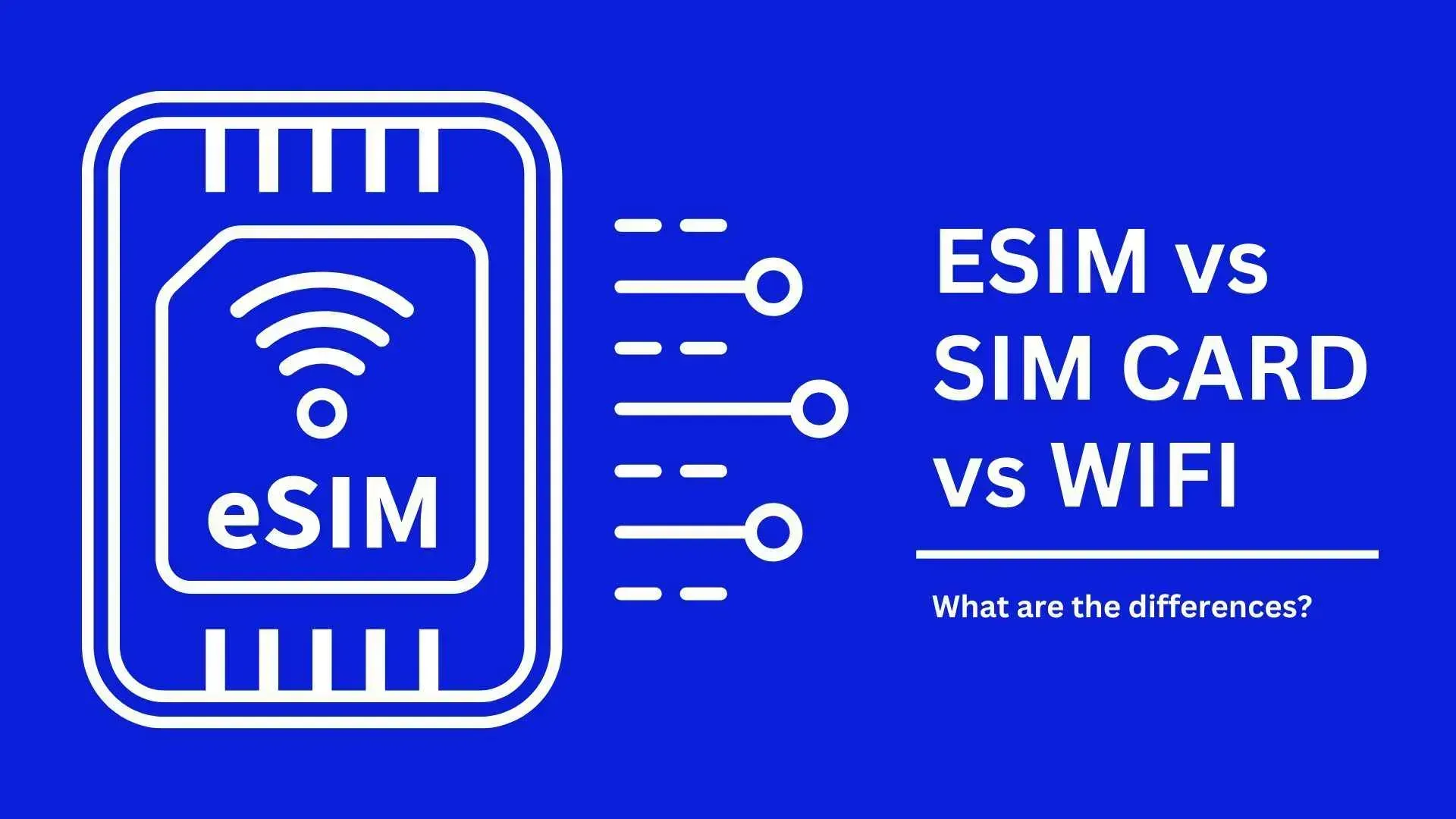
Comparison: eSIM vs. SIM Card vs. WiFi Egg
Comparison Item | |||
Network Speed | Same as other devices | Same as other devices | Same as other devices |
Pros | 1. No physical card swap 2. Instant activation | 1. Plug and play 2. Includes phone number | 1. Unlimited 4G data 2. Connects up to 4 devices 3. 10-hour battery life |
Cons | 1. Limited to compatible smartphones | 1. Risk of losing/damaging the physical card | 1. Must pick up/return at HK Airport 2. Risk of loss or damage |
Multi-device Use | No | Yes (via Hotspot) | Yes |
Receive Original SMS/Calls | Yes | No | Yes |
Need to Swap SIM? | No | Yes | No |
Need Extra Charging? | No | No | Yes |
Best For | Those who want convenience or fear losing their original SIM | Everyone | Groups or those with multiple devices |
South Korea SIM Cards
South Korea SIM cards are ready to use—simply insert the card before use! Some plans include a local phone number and long-distance services, making them ideal for calling back to Hong Kong or making local restaurant reservations.
South eSIM Korea
Purchase a South eSIM Korea and simply turn on data roaming upon arrival to get online instantly. There is no need to physically swap out your original SIM card or carry an extra data card.
South Korea WiFi Router (Pocket WiFi)
A South Korea Pocket WiFi acts like a wireless router, connecting your smartphone directly to WiFi. It can be shared by multiple people or connected to several devices, making it perfect for those traveling with seniors or carrying laptops and tablets.
However, Pocket WiFi requires regular charging, and you must queue to pick up and return the device, as well as pay a deposit. You can pick up your device at Hong Kong International Airport before your flight!
How to Set Up eSIM Korea for iPhone & Android
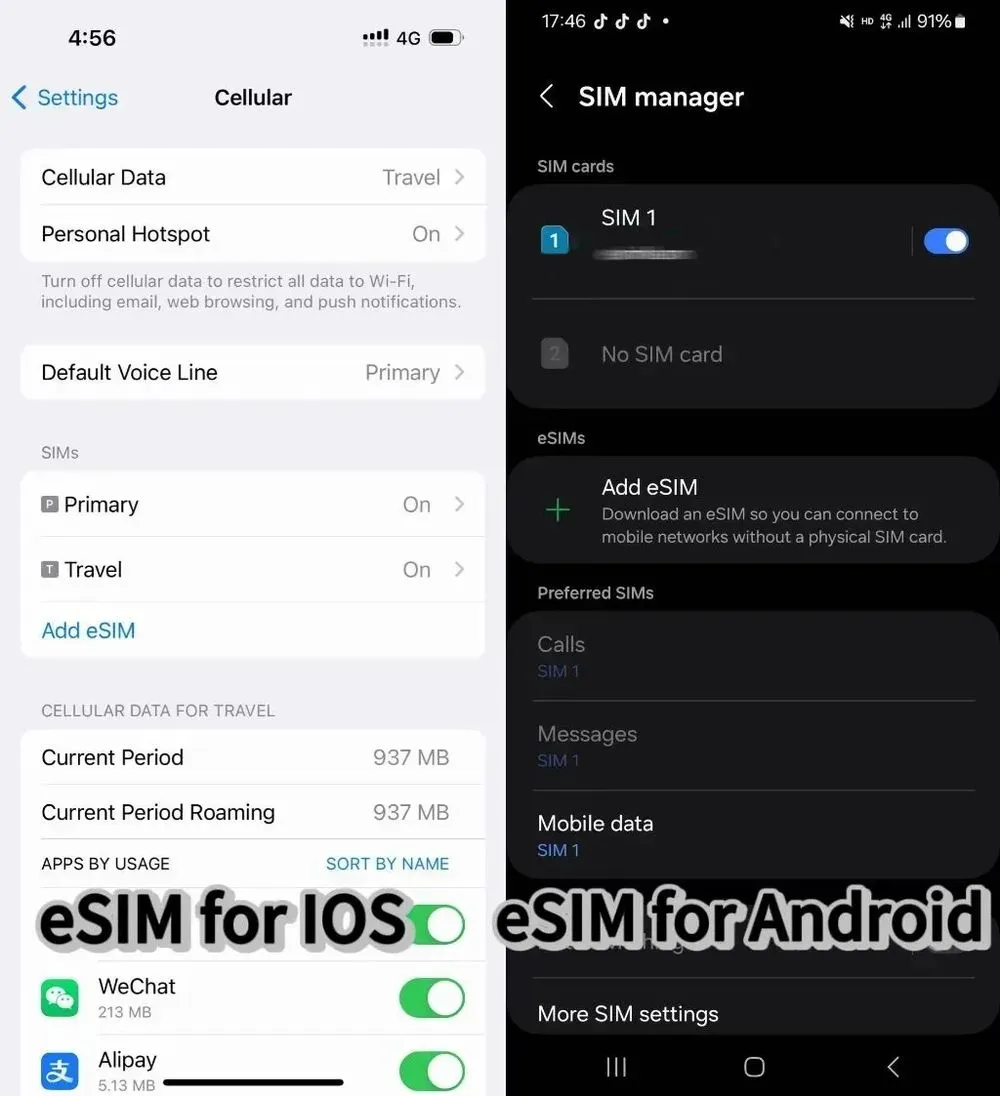
iPhone:
- Buy plan → Settings → Cellular → "Add eSIM" → Scan QR.
- Label it (e.g., "Korea Data") → Toggle ON.
- Set as secondary for data.
Android:
- Buy plan → Settings → Connections → SIM manager → "Add eSIM".
- Scan QR or use provider’s app.
Recommended Hotels in Korea
Seoul
Busna
Jeju
See All Hotels
 NO.1
NO.1























FAQs about eSIM South Korea
-
Which eSIM is best for South Korea?
-
Is eSIM available in South Korea?
-
Can I get an eSIM before I arrive in Korea?
Disclaimer: This article has been provided by an individual contributor or third party platform. If there is any discrepancy regarding the copyright, please contact us directly and we will delete the content immediately.
Trending Searches
-
Trending Searches
-
Featured guides
-
Popular airlines and airports
- Trip.com Reviews
- Trip.com Cancellation Policy
- Trip.com Payment Methods
- Trip.com Phone Number
- Trip.com Check In
- Trip.com Ticket Issued Status
- Trip.com Change Passport
- Trip.com Customer Support
- Trip.com Membership
- Trip.com VIP Lounge Access
- Trip.com Baggage Allowance
- Trip.com Flight Ticket
- Trip.com Hotel Refund
- Trip.com Flight Change
- Trip.com Seat Selection
- Trip.com E-Receipt
- Trip.com E-Ticket
- Trip.com Flight Cancellation
- Trip Coins
- Rethymno Travel Guide
- Canton Fair Autumn 2026 (140th Session)
- Zhangjiajie Weather
- Kunming Metro
- What to Eat in Chengdu
- how to get to wulong karst from chongqing
- Hong Kong Airport Express
- Zhangjiajie Airport
- Chengdu Layover
- Chengdu Pandas
- Train through a Building
- Atlantis Sanya Aquaventure Waterpark
- LV Louis Vuitton Extraordinary Journey
- Batam Arrival Card
- Bali: Kuber ATV Adventure with Lunch | Ubud ATV
- Huanglongjiuzhai Railway Station - Jiuzhaigou National Park shuttle bus · private charter optional
- SLINGSHOT Gold Coast Tickets
- VinWonders Phu Quoc Tickets
- Japanese Bath House (booking required) Tickets
- Andaman and Nicobar Islands Travel Guide
- Hanoi - Sapa VIP Cabin Sleeper Bus by G8 Open Tour
- Virgin Australia Flights
- Brisbane Airport
- Jetstar Flight
- Japan Airlines
- Sydney Airport
- Melbourne Airport
- Qantas Flights
- Air New Zealand Flights
- Emirates Flights
- Qatar Airways
- Singapore Airlines
- Perth Airport
- Indigo Flights
- Malaysia Airlines
- Hobart Airport
- Thai Airways
- Cathy Pacific
- Fiji Airways
- British Airways
- Darwin Airport
- Adelaide Airport
- United Airlines
- Airnorth
- Avalon Airport
- Tan Son Nhat Airport