How to Use Trip.com Map View for Cheap Flights?


Trip.com has rounded up the best, tried-and-true tips for booking cheap flights in 2026. This article also answers the question, "When is the cheapest time to book flights?" plus sharing secrets on picking the best travel dates and how to make the most of Trip.com app features. Let’s dive in and see how you can snag the best prices without even having to wait for a sale!
to Bali
to Singapore
to Shanghai
See all flights


What is Trip.com Map View?
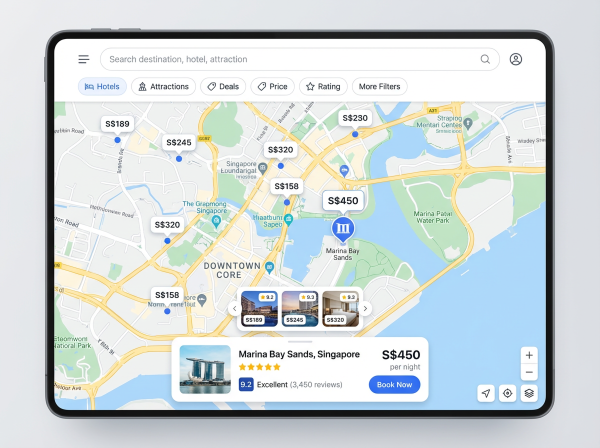
Trip.com App UI
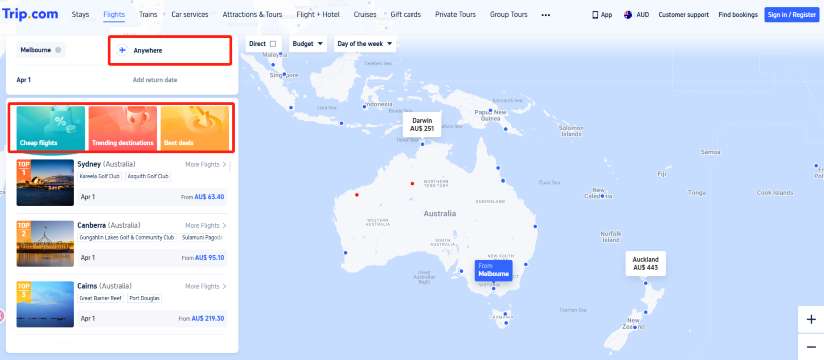
Trip.com Map View lets you see flight fares across an interactive world map. You can compare multiple destinations at a glance, making it perfect if you're chasing the best value rather than a specific route. It’s a total game-changer if you’re flexible with your destination or looking to book a last-minute getaway.
How to Use Map View on Trip.com?
Step 1: Open the Trip.com website or app
Head to Trip.com on your browser or launch the app on your phone. Once you're on the homepage, tap or click on the “Flights” tab to start searching for airfare deals and exploring destinations.
For those using Trip.com app, you’ll want to navigate to the "Flights" tab.
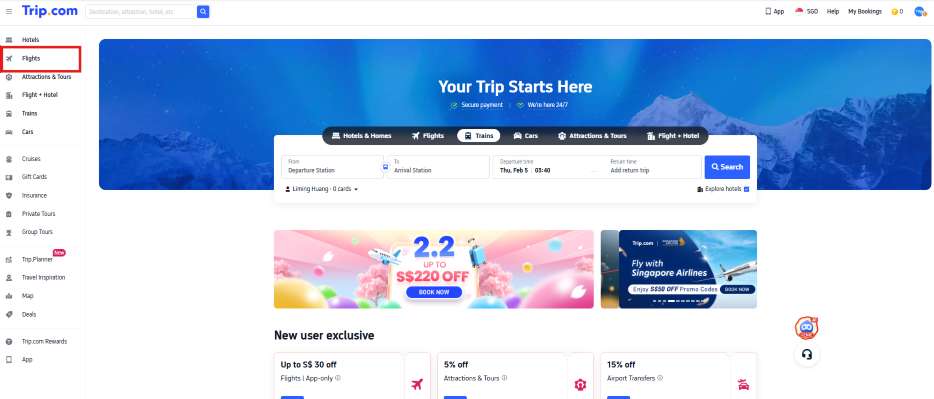
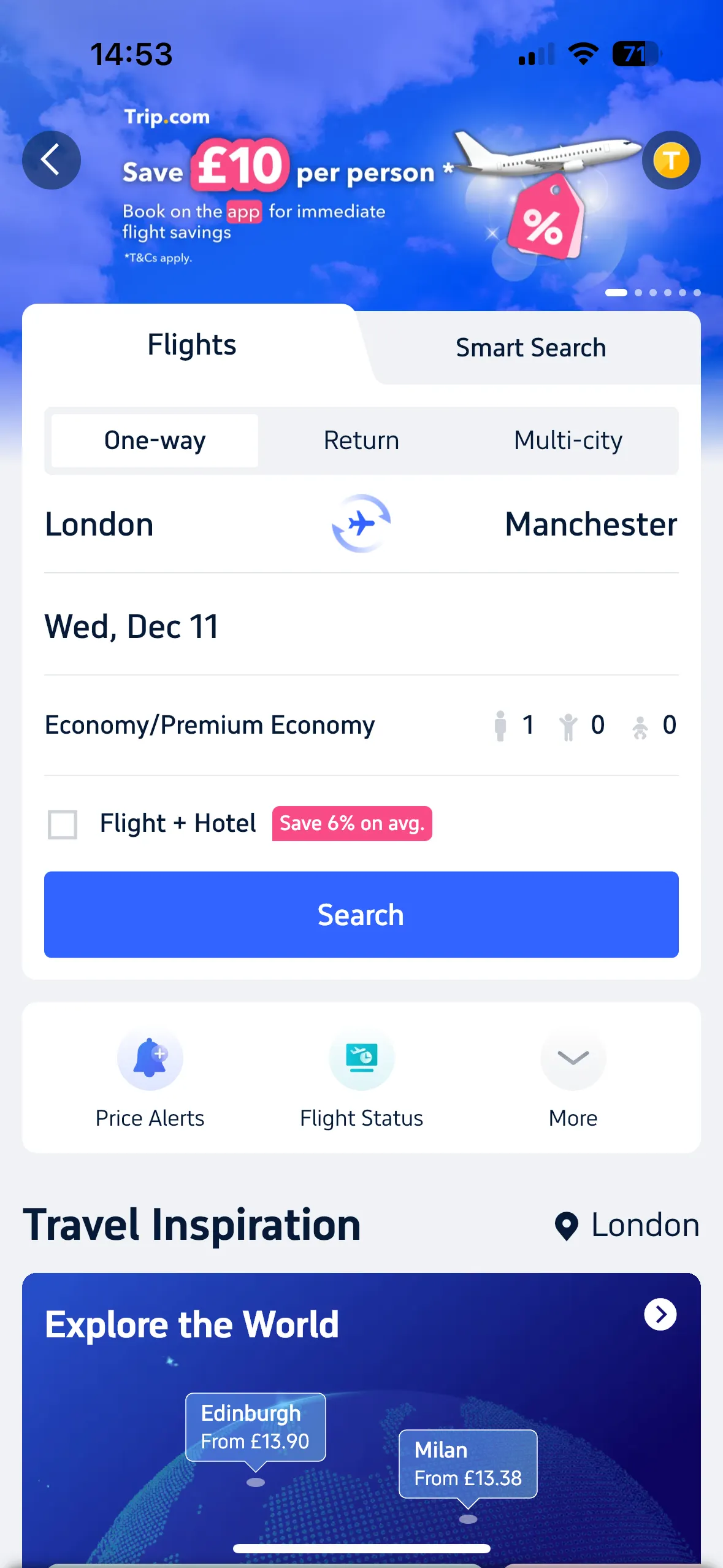
Step 2: Enter your departure city
If you have fixed travel plans, enter your exact dates. But if you’re flexible, try browsing different days or even months, shifting your trip by a few days can sometimes unlock significantly cheaper fares and better flight options.
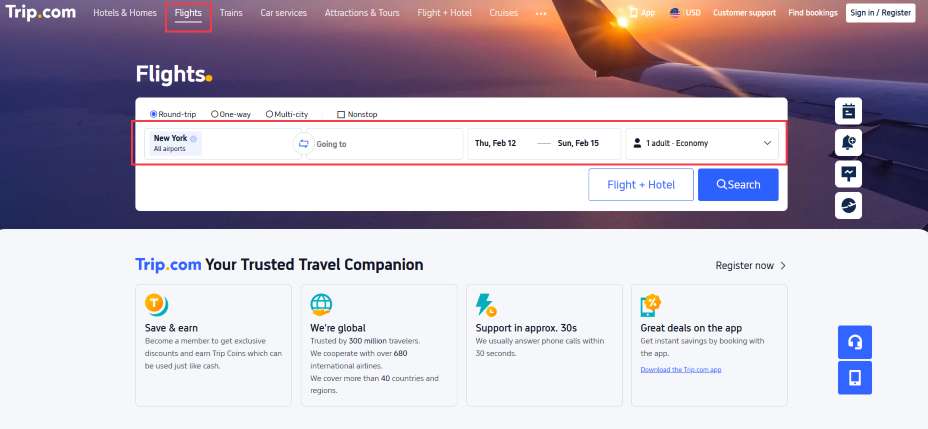
Step 3: Switch to "Map View" to see prices displayed across destinations
This interactive map lets you compare fares at a glance, making it easy to spot the cheapest cities instantly. Zoom in or out, move around different regions, and explore nearby countries to uncover unexpected deals and budget-friendly travel ideas in just seconds.
How to Book Cheap Flights in 2026?
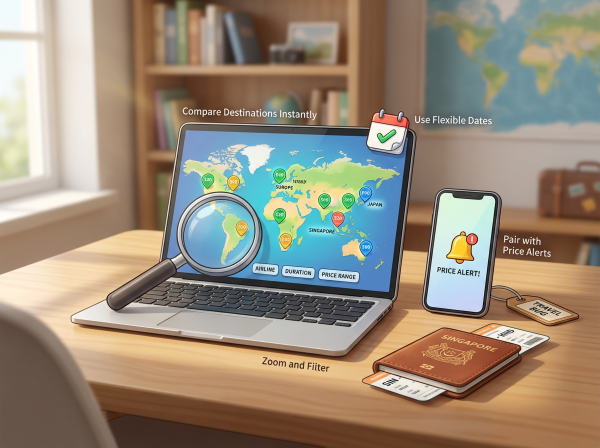
Travel Deal Poster
Tips | Best Time to Book |
Book in advance | 3–6 months before your trip |
Choose to travel midweek | Tuesday – Wednesday |
Steer clear of festivals and peak seasons. | Travel during May–June or September–October. |
Use the "Monthly Price View" feature on Trip.com | Discover the best dates for the lowest fares this month! |
Stay updated on the latest promotions from Trip.com | Turn on app notifications / Follow our Facebook page |
Flying with budget airlines | For short trips or a relaxed getaway. |
Earn miles and Trip Coins | From bookings via the Trip.com app |
Choose a connecting flight instead of flying direct. | International routes such as Japan / Europe |
See all attractions
 2393 booked






How to Compare Flight Prices for the Whole Month on Trip.com?
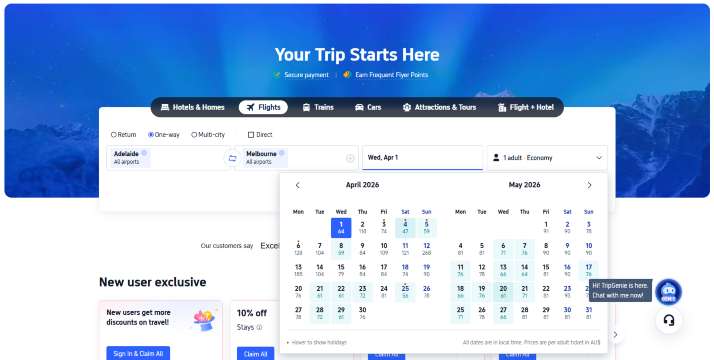
Flight prices change every day, and some dates can be hundreds of baht cheaper than others—a secret many travelers miss! Luckily, Trip.com makes it easy to find those savings on both our app and website. With the "View Prices by Month" feature, you can see a full overview of ticket prices for the entire month at a glance. It’s perfect for travelers with flexible schedules who want to score the best deals and save as much as possible!
How to use:
- Head over to the Trip.com app or website
- Select your route and number of passengers
- Tap on "Date"
- You can easily see the daily ticket prices at a glance with our calendar view.
- Pick the lowest price dates and book instantly!
Top Global Hotels Recommendation
Top Global Hotels
Tokyo
Bali
Bangkok
See All Hotels










FAQs about Trip.com Map View for Cheap Flights
-
What is Trip.com Map View?
-
How do I access Map View on Trip.com?
-
Can I find cheaper flights using Map View?
-
Does Map View support flexible travel dates?
-
Is Trip.com Map View available on mobile?
Disclaimer: This article has been provided by an individual contributor or third party platform. If there is any discrepancy regarding the copyright, please contact us directly and we will delete the content immediately.
Trending Searches
-
Top Flight Routes
-
Latest Flight Deals
-
eSIM/SIM card
-
Trip.com FAQs
- Trip.com Reviews
- Trip.com Cancellation Policy
- Trip.com Payment Methods
- Trip.com Phone Number
- Trip.com Check In
- Trip.com Ticket Issued Status
- Trip.com Change Passport
- Trip.com Customer Support
- Trip.com Membership
- Trip.com VIP Lounge Access
- Trip.com Baggage Allowance
- Trip.com Flight Ticket
- Trip.com Hotel Refund
- Trip.com Flight Change
- Trip.com Seat Selection
- Trip.com E-Receipt
- Trip.com E-Ticket
- Trip.com Flight Cancellation
- Trip Coins
- Hotels in The 2nd Affliated Hospital of Harbin Medical University/Harbin South Railway Station