How to Find Trip.com Contact Number and Hotline

February 10, 2026

Are you planning for your next journey? Trip.com can provide you bookings, cancellations and travel assistance. Read this guide and find how to find customer service hotline number.
to Bangkok
to Manila
to Shanghai
to Tokyo
to Seoul
See all flights


Why Use Trip.com’s Customer Support?

- 24/7 Service: One of the major advantages of Trip.com's 24-hour human customer service lies in its all-weather service capability. Whether it's late at night or early in the morning, users can contact customer service at any time to solve various problems during their travels, such as booking, cancellation, and rescheduling.
- Personalized Services: Human customer service can provide more personalized services. When facing complex problems, human customer service representatives can provide detailed solutions based on the specific circumstances of users, rather than simply following the preset procedures. This flexibility enables users to be properly handled when they encounter special needs.
- Emotional Support: Human customer service representatives can also offer emotional support. When encountering difficulties or unpleasant experiences during a trip, communicating with customer service staff can help relieve emotions and provide psychological comfort and support.
- Language Diversity: Trip.com’s 40-language phone support ensures travelers from all over the world can explain travel issues easily.
How to Find Trip.com Support in the Mobile App?
Step 1: Access Support via Mobile App
👉 Open Trip.com app → Tap "Account"→ Select "Customer Support"
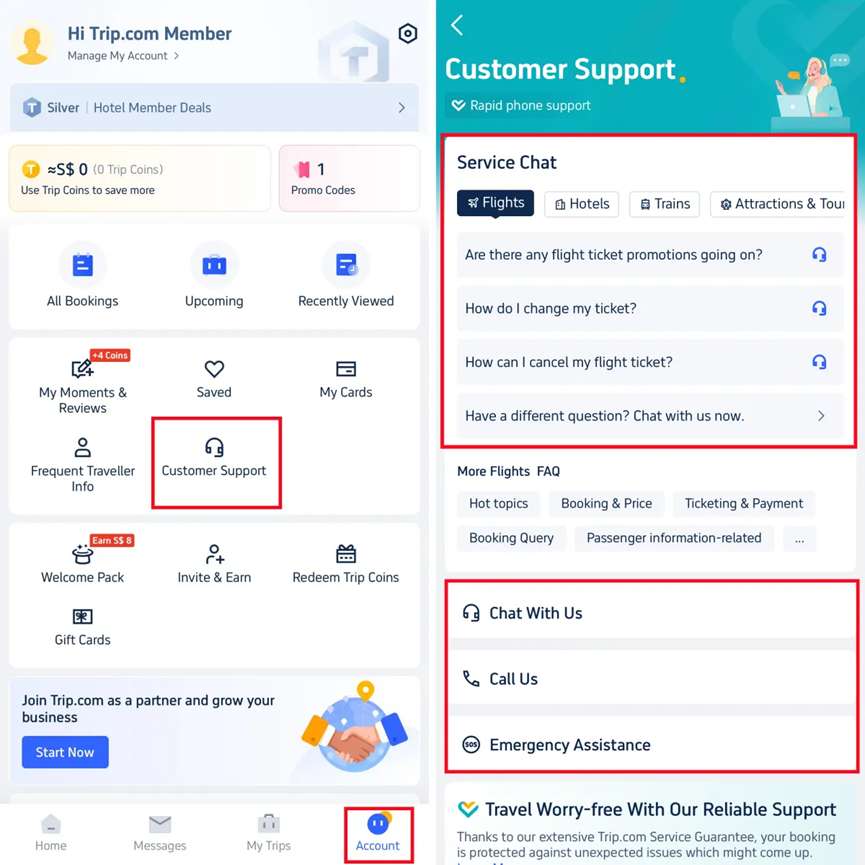
👉 Scroll to "Call Us"→ Choose:
- Internet Call (Data/WiFi)
- Global Call (Direct Dial)
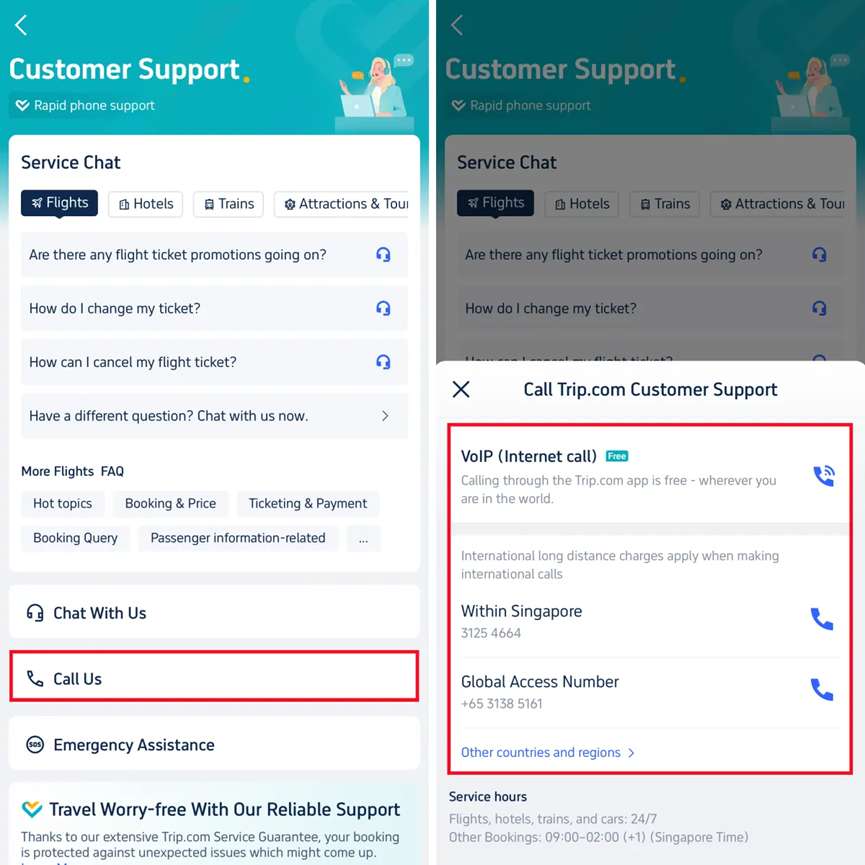
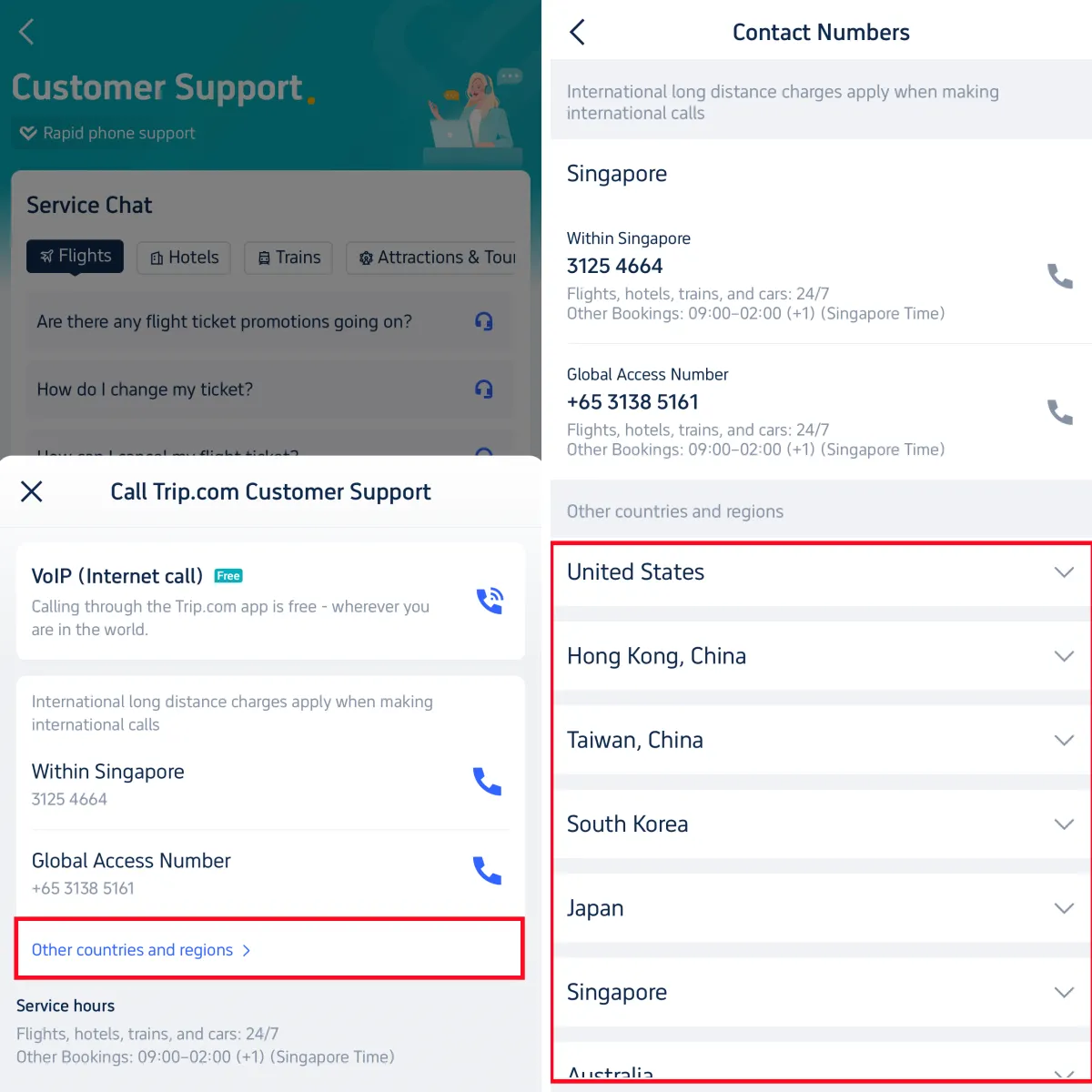
Step 3: International Numbers
👉 Tap "Other Countries & Regions"→ Select location for local hotline
Bali
Shanghai
Hong Kong
Tokyo
Seoul
See All Hotels
 NO.1
NO.1














How to Find Contact Numbers via Trip.com's Website
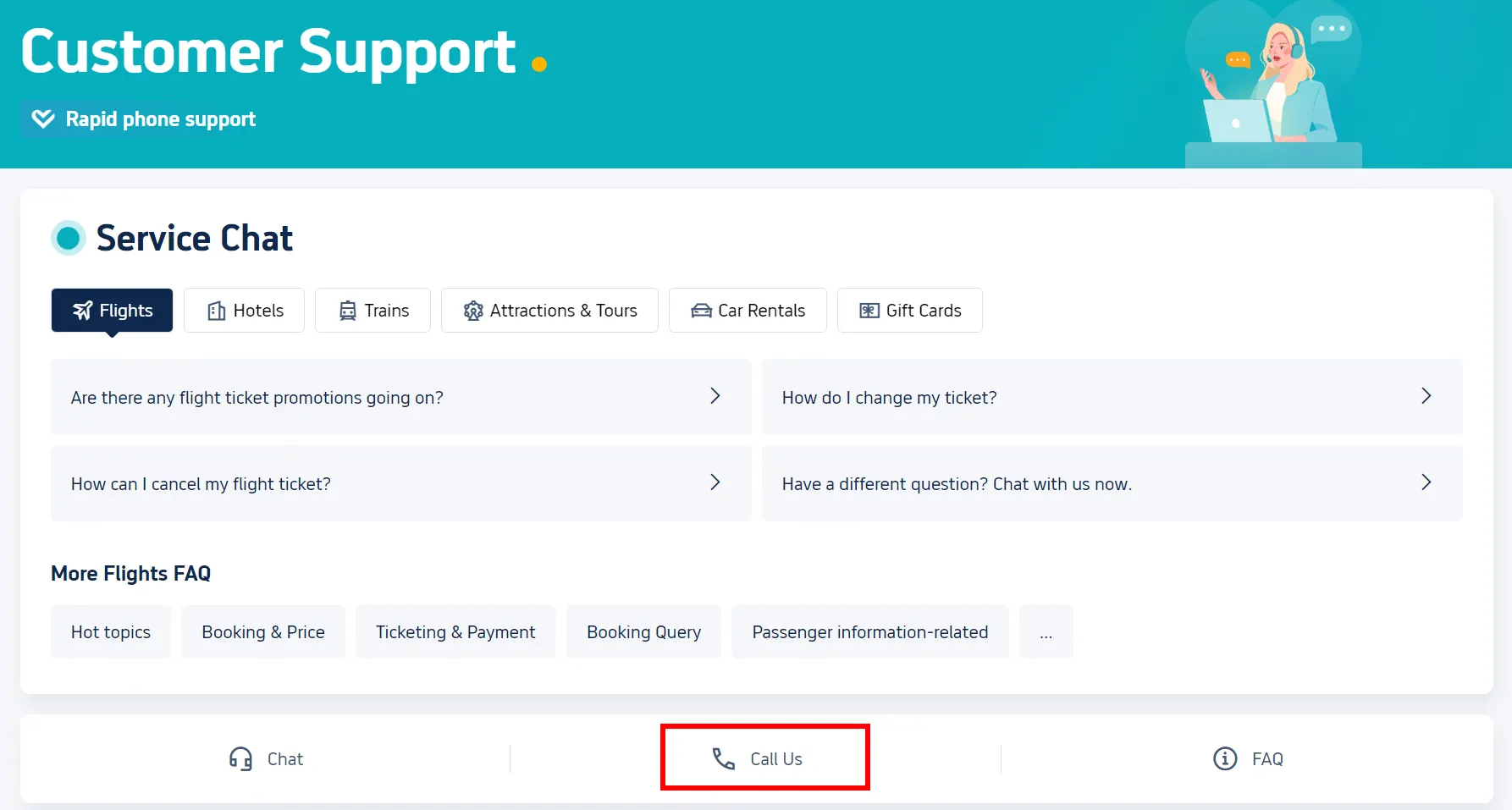
Step 1: Open Help Center
➤ Go to Trip.com website → Click top-right "Customer Support"
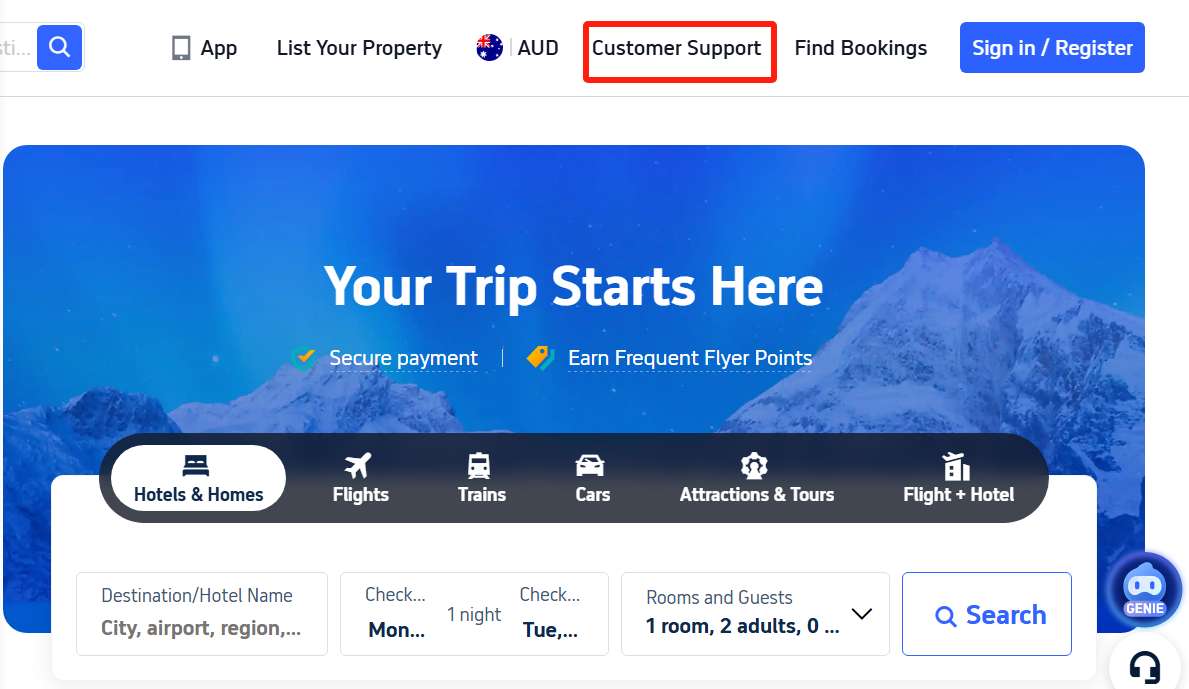
Step 2: Access Phone Support
➤ Select "Call Us" → View contact options
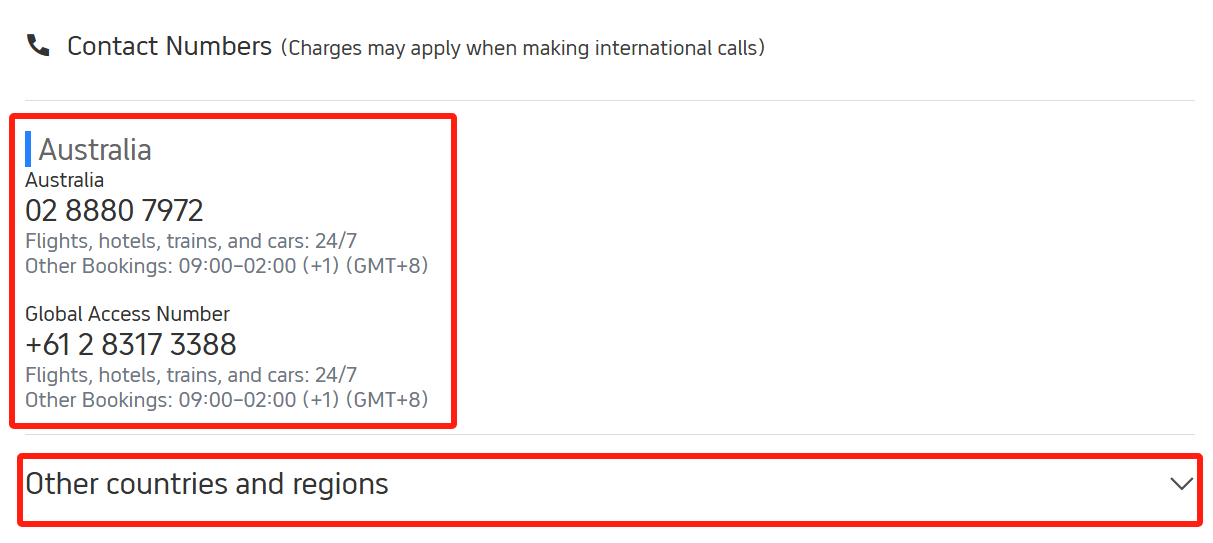
Step 3: Retrieve Local/International Numbers
➤ Local number displays instantly
➤ For overseas: Tap "🌐 Other Countries/Regions" → Choose location
Screenshots shown for reference only. Actual UI may vary slightly.
FAQ about Trip.com Contact Number
-
What is Trip.com customer service number?
-
Does Trip.com have a 24 hour customer service phone number?
-
How to get a refund from Trip.com?
Disclaimer: This article has been provided by an individual contributor or third party platform. If there is any discrepancy regarding the copyright, please contact us directly and we will delete the content immediately.
Trending Searches
-
Top Flight Routes
-
Latest Flight Deals
-
eSIM/SIM card
-
Trip.com FAQs
- Trip.com Reviews
- Trip.com Cancellation Policy
- Trip.com Payment Methods
- Trip.com Phone Number
- Trip.com Check In
- Trip.com Ticket Issued Status
- Trip.com Change Passport
- Trip.com Customer Support
- Trip.com Membership
- Trip.com VIP Lounge Access
- Trip.com Baggage Allowance
- Trip.com Flight Ticket
- Trip.com Hotel Refund
- Trip.com Flight Change
- Trip.com Seat Selection
- Trip.com E-Receipt
- Trip.com E-Ticket
- Trip.com Flight Cancellation
- Trip Coins
- Kano Travel Guide